Best Free VPN to Change Location: Safe, Practical Options
Compare free VPNs for changing your IP location, including their limits, privacy trade-offs, and when a paid plan makes more sense.
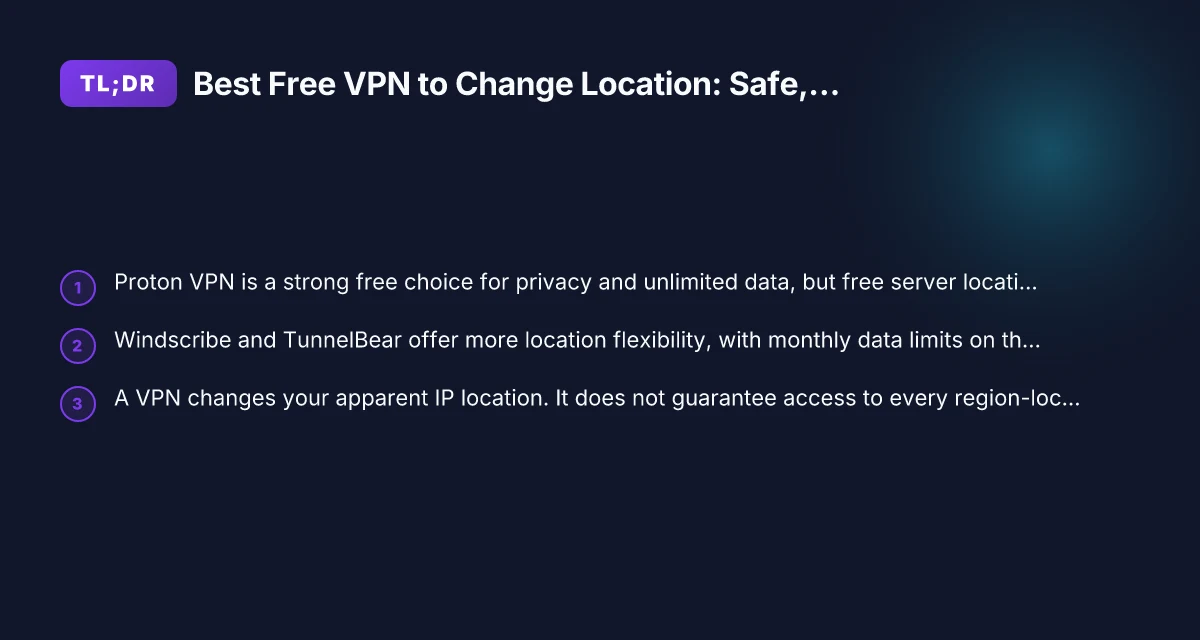
If you’re looking for the best free VPN to change location, start with Proton VPN for unlimited data and a solid privacy focus. Its free plan has limited server choices, though. If choosing among more locations matters more than unlimited use, consider Windscribe or TunnelBear, which provide free options with monthly data caps. The right pick depends on whether you value data, location choice, or simplicity most.
A VPN routes your internet traffic through a server and usually makes websites see that server’s IP address instead of your own. This can make your connection appear to come from another country or city. Free plans often restrict which locations you can use, how much data you get, or how quickly you can connect, so check the current terms before signing up.
| VPN | Obfuscation | From / month | Plan | Free plan | Refund | Alipay | UnionPay | Crypto | Website opens in China | Trustpilot | |
|---|---|---|---|---|---|---|---|---|---|---|---|
 Proton VPN | Turn on manually Stealth, free plan too | $2.99/mo | 12 months: $35.88 | Yes | 30 days | ✗ | ✗ | ✗ | ✓ | ✗ Blocked | 2.1/5 (1,040 reviews) |
 Windscribe | Turn on manually Stealth / WStunnel | $5.75/mo | 12 months: $69 | Yes | See site | ✗ | ✗ | ✗ | ✓ | ✗ Blocked | 4.7/5 (13,355 reviews) |
 ZoogVPN | Turn on manually Shadow | $2.49/mo | 27 months: $59.99 | Yes | 7 days | ✓ | ✓ | ✓ | ✓ | Official site blocked; our special link opens (4.4 s) | 4.2/5 (195 reviews) |
 NordVPN | Turn on manually Obfuscated Servers / NordWhisper | $3.49/mo | 27 months: $94.23 | No | 30 days | ? | ✗ | ✓ | ✓ | ✗ Blocked | 4.2/5 (51,628 reviews) |
 ExpressVPN | ✓ On by default all servers | $3.00/mo | 28 months: $84 | No | 30 days | ✗ | ✗ | ✓ | ✗ | ✗ Blocked | 4.4/5 (29,706 reviews) |
 Surfshark | ✓ On by default Camouflage, with OpenVPN | See site | See site | No | 30 days | ✗ | ✗ | ✗ | ✓ | ✗ Blocked | 4.3/5 (31,823 reviews) |
 Astrill VPN | Turn on manually StealthVPN / OpenWeb | $12.50/mo | 24 months: $300 | No | See site | ✗ | ✗ | ✗ | ✓ | ✗ Blocked | 1.3/5 (110 reviews) |
 Private Internet Access | Turn on manually Shadowsocks, OpenVPN only | $2.03/mo | 40 months: $81.2 | No | 30 days | ✗ | ✗ | ✗ | ✗ | ✗ Blocked | 4.2/5 (11,033 reviews) |
 CyberGhost | Turn on manually selected servers | $2.19/mo | 28 months: $61.32 | No | 45 days | ✗ | ✗ | ✗ | ✓ | ✗ Blocked | 4.0/5 (24,178 reviews) |
 PureVPN | Turn on manually switch to OpenVPN | $1.69/mo | 60 months: $101.55 | No | 31 days | ? | ? | ✗ | ✓ | ✗ Blocked | 4.4/5 (17,994 reviews) |
 AdGuard VPN | ✓ On by default TrustTunnel | $2.99/mo | 24 months: $71.76 | Yes | 30 days | ✓ | ✗ | ✓ | ✓ | Official site blocked; our special link opens (3.7 s) | 4.3/5 (290 reviews) |
 Mullvad | Turn on manually QUIC / Shadowsocks / LWO | $5.61/mo | €5/mo | No | 14 days | ✗ | ✗ | ✗ | ✓ | ✗ Blocked | 3.2/5 (192 reviews) |
 StrongVPN | Turn on manually Scramble, OpenVPN TCP | See site | See site | No | 30 days | ✓ | ✗ | ✗ | ✗ | ✗ Blocked | 4.4/5 (2,695 reviews) |
 LightXtreme 闪连 | Not listed | $7.08/mo | 12 months: $84.99 | Yes | 30 days | ✓ | ✓ | ✓ | ✓ | ✓ Yes (3.5 s) | No page |
Prices checked 2026-11-10 on each vendor's pricing page (cheapest long plan, USD). Check the vendor's checkout for the final price.
Obfuscation checked 2026-11-14 on each vendor's site and help center: "on by default" = nothing to set; "turn on manually" = switch protocol or mode in settings; "not listed" = the vendor describes no obfuscation.
Payment methods checked 2026-11-10 on each vendor's payment pages: all 14 take cards and PayPal; ✗ = not listed, ? = the vendor's own pages disagree.
China access: whether the official website opens from mainland China networks (tests the website only, not the VPN connection). Last checked 2026-11-18 01:02 Beijing time.
Trustpilot score and review count checked 2026-11-10.
Free VPNs compared for changing your IP location
| VPN | Free plan | Location choice | Data limit | Best use |
|---|---|---|---|---|
| Proton VPN | Free | Limited locations | Unlimited | Regular browsing |
| Windscribe | Free | Multiple locations | Limited | Occasional location changes |
| PrivadoVPN | Free | Multiple locations | Limited | Basic streaming tests |
| TunnelBear | Free | Multiple locations | Limited | Simple, occasional use |
| hide.me | Free | Multiple locations | Limited | Privacy-conscious browsing |
| Hotspot Shield | Free | Limited locations | Limited | Basic browsing |
Compiled November 2026; check the provider's site for current details.
Best free VPNs for changing your IP location
These providers are established options with free plans. Features, server availability, and limits can change, so confirm the details on each provider’s official site.
| VPN | Free-plan advantage | Main limitation | Best for |
|---|---|---|---|
| Proton VPN | Unlimited data | Fewer location choices than paid plans | Regular browsing and privacy |
| Windscribe | Multiple selectable locations in some free regions | Monthly data allowance | Trying different IP locations |
| TunnelBear | Simple apps and broad country selection | Relatively small monthly data allowance | Occasional, beginner-friendly use |
Proton VPN is a good starting point if you want to browse regularly without watching a data meter. Its free plan is known for unlimited data, but access to specific countries or cities may be restricted. Choose it for everyday use rather than precise location hopping.
Windscribe can be a better fit if selecting among available locations is your priority. Its free plan has a monthly data limit, and the allowance may depend on account setup or current plan terms. Check the app’s server list before relying on it for a particular country.
TunnelBear emphasizes a straightforward experience and may offer free servers in several countries. The trade-off is a comparatively limited amount of data, making it more suitable for brief sessions than extended streaming or downloads. Cato VPN: What It Is, How It Works, and How to Connect
How to choose the right free VPN
Before installing an app, decide what “change location” means for your needs. A different country may be enough for general privacy, while a specific city or streaming catalog can require a particular server that free plans may not provide.
Compare these factors:
- Server locations: Look for the country you actually need, not just a large advertised network.
- Data allowance: Unlimited data is useful for frequent browsing. Capped plans work better for occasional use.
- Speed and reliability: Free servers can be busy, which may slow browsing or video calls.
- Privacy practices: Read the provider’s privacy policy and learn what connection or usage data it keeps.
- Device support: Make sure the plan works on your phone, computer, or other device.
- Connection protection: Look for features such as a kill switch, which can block internet traffic if the VPN disconnects.
A long list of locations does not automatically make a VPN safer or faster. Free plans may offer only a subset of the provider’s full network, and the available locations can change.
What a VPN can, and cannot, change
A VPN can replace the public IP address websites see with the IP address of the VPN server. That can make your connection appear to come from another location. It also encrypts traffic between your device and the VPN server, which can help protect data on untrusted networks. How to Access ¥¥172.30.10.121¥share¥forticlientvpn Safely
However, a VPN does not make you anonymous. Websites may still identify you through account sign-ins, cookies, browser settings, or other device signals. Location services can also use GPS or Wi-Fi data rather than your IP address.
A VPN also cannot guarantee access to a particular streaming service, website, or game. Platforms may block known VPN addresses, and their terms may restrict location-based access. If a service does not work, switching servers may not solve the issue, and a free plan may not offer another suitable server.
How to choose a free VPN
| Check | What to look for | Why it matters | Warning sign |
|---|---|---|---|
| Location options | Countries you can select | Determines available IP locations | Only one useful location |
| Data allowance | Enough for your intended use | Video and downloads use more data | Very small allowance |
| Privacy policy | Clear data-collection details | Shows what the provider records | Vague logging terms |
| Security | Current encryption and VPN protocols | Helps protect network traffic | Unclear protection claims |
| Speed | Performance suitable for your task | Free servers can be busy | Frequent interruptions |
| Device support | Apps for your devices | Lets you connect where needed | Missing platform support |
| Business model | Transparent funding or paid tier | Helps assess incentives | Unexplained “free” service |
Compiled November 2026; check the provider's site for current details. Free VPN for Edge: What to Know Before You Choose
Free VPN safety and privacy checks
“Free” does not always mean risk-free. Some providers support their service through paid upgrades, while less trustworthy apps may rely on intrusive advertising or collect more information than users expect.
Use these checks before connecting:
- Download the app from the provider’s official website or a trusted app store.
- Read the privacy policy, especially its data collection and retention sections.
- Avoid VPN apps that make sweeping claims such as guaranteed anonymity or unrestricted access to every service.
- Check for recent independent security audits or transparent reports.
- Review app permissions. A basic VPN generally should not need access unrelated to its function.
- Keep the app updated and disconnect when you no longer need the VPN.
A VPN provider can see some information about traffic passing through its servers, so choosing a reputable company matters. A free plan should not require you to trade away privacy you would otherwise expect.
When a paid VPN may be worth it
A free option is often enough for occasional browsing or testing how a VPN works. Consider a paid plan if you need a particular country, frequent server changes, more consistent speeds, or enough data for regular video use. How to Add or Change a VPN Connection in Windows 11
Paid plans generally offer more servers and fewer limits, but they still cannot guarantee that every website will work. Compare the provider’s current server list, refund terms, and privacy policy before subscribing. Avoid committing based only on a promise to “unlock” a specific service.
What a VPN can and cannot change
| Item | Can a VPN change it? | How it works | Important limit |
|---|---|---|---|
| Public IP address | Yes | Replaces it with the VPN server’s IP | Websites may detect VPN use |
| Apparent online location | Yes | IP location points to the server | Location databases can be imprecise |
| Network traffic path | Yes | Routes traffic through the VPN | Does not hide activity from every party |
| GPS location | Usually no | GPS comes from device sensors | Apps may still use device location |
| Account country | No | Set by the service or account details | Changing IP may not change eligibility |
| Payment region | No | Often tied to billing information | A VPN cannot change billing records |
| Device identity | No | Apps can use cookies or device signals | Clear cookies or adjust settings separately |
Compiled November 2026; check the provider's site for current details.
Final recommendation
For most people, Proton VPN is the best free VPN to change location when unlimited data and privacy are the priorities. Choose Windscribe if its free locations better match your needs, or TunnelBear for simple, occasional use. In every case, verify that the free plan includes the location you want, understand its limits, and treat a changed IP address as a location signal, not a guarantee of anonymity or access. Edge VPN: What It Is and Which Option Should You Choose?