fortigate VPN pfs(2026)
Learn what PFS does in a FortiGate VPN, how to configure it, and how to troubleshoot mismatched settings.
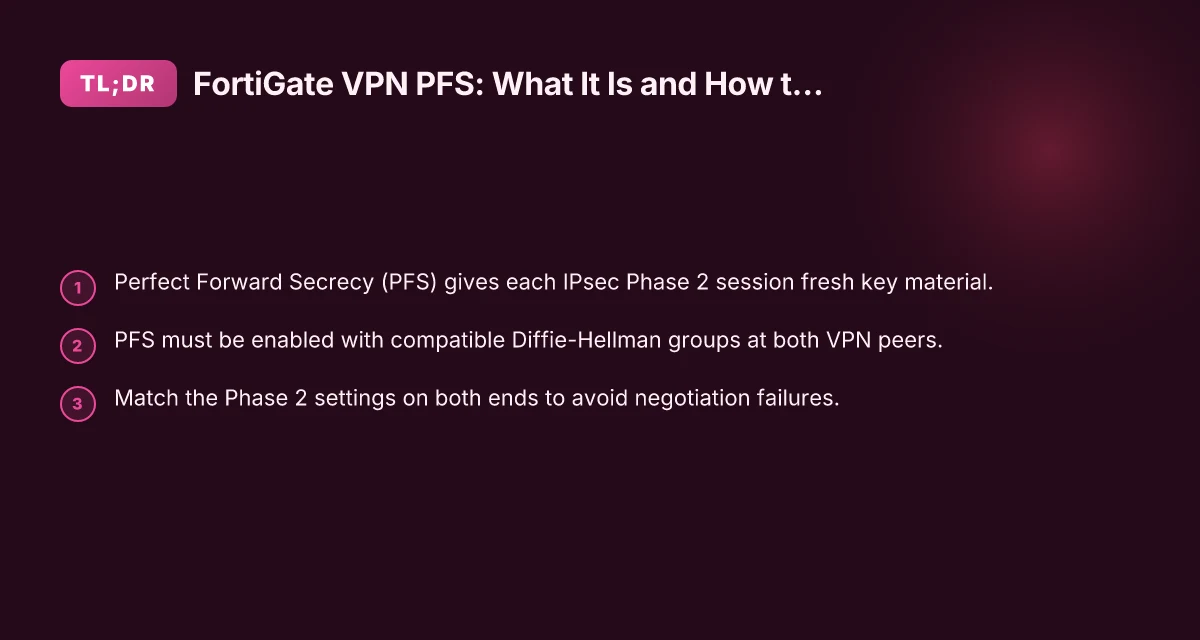
FortiGate VPN PFS refers to Perfect Forward Secrecy in an IPsec VPN. When enabled, PFS uses a fresh Diffie-Hellman exchange to derive keys for a Phase 2 security association, rather than relying only on key material established during Phase 1. This limits the impact of a compromised key, but both VPN peers must support and agree on the setting and group.
PFS options for a FortiGate VPN Phase 2 proposal
| Option | What it does | Security impact | Compatibility | When to choose |
|---|---|---|---|---|
| PFS disabled | Reuses Phase 1 key material | Less key separation | May suit peers that do not support PFS | Only when required for compatibility |
| PFS enabled | Adds a fresh key exchange for Phase 2 | Improves key separation | Both peers must support matching settings | Preferred when both peers support it |
| Matching DH group | Uses the same Diffie–Hellman group on both peers | Enables the intended key exchange | Required for negotiation | Match the remote peer’s group |
| Different DH groups | Peers request different groups | No usable shared exchange | Not compatible | Correct the mismatch |
| Stronger supported group | Uses a more robust supported group | Can improve cryptographic strength | Depends on both peers | Choose when both endpoints support it |
| Unsupported group | Requests a group a peer cannot use | No negotiation benefit | Not compatible | Select a mutually supported group |
Compiled November 2026; check the provider's site for current details.
| VPN | Obfuscation | From / month | Plan | Free plan | Refund | Alipay | UnionPay | Crypto | Website opens in China | Trustpilot | |
|---|---|---|---|---|---|---|---|---|---|---|---|
 ZoogVPN | Turn on manually Shadow | $2.49/mo | 27 months: $59.99 | Yes | 7 days | ✓ | ✓ | ✓ | ✓ | Official site blocked; our special link opens (4.4 s) | 4.2/5 (195 reviews) |
 NordVPN | Turn on manually Obfuscated Servers / NordWhisper | $3.49/mo | 27 months: $94.23 | No | 30 days | ? | ✗ | ✓ | ✓ | ✗ Blocked | 4.2/5 (51,628 reviews) |
 ExpressVPN | ✓ On by default all servers | $3.00/mo | 28 months: $84 | No | 30 days | ✗ | ✗ | ✓ | ✗ | ✗ Blocked | 4.4/5 (29,706 reviews) |
 Surfshark | ✓ On by default Camouflage, with OpenVPN | See site | See site | No | 30 days | ✗ | ✗ | ✗ | ✓ | ✗ Blocked | 4.3/5 (31,823 reviews) |
 Proton VPN | Turn on manually Stealth, free plan too | $2.99/mo | 12 months: $35.88 | Yes | 30 days | ✗ | ✗ | ✗ | ✓ | ✗ Blocked | 2.1/5 (1,040 reviews) |
 Astrill VPN | Turn on manually StealthVPN / OpenWeb | $12.50/mo | 24 months: $300 | No | See site | ✗ | ✗ | ✗ | ✓ | ✗ Blocked | 1.3/5 (110 reviews) |
 Private Internet Access | Turn on manually Shadowsocks, OpenVPN only | $2.03/mo | 40 months: $81.2 | No | 30 days | ✗ | ✗ | ✗ | ✗ | ✗ Blocked | 4.2/5 (11,033 reviews) |
 CyberGhost | Turn on manually selected servers | $2.19/mo | 28 months: $61.32 | No | 45 days | ✗ | ✗ | ✗ | ✓ | ✗ Blocked | 4.0/5 (24,178 reviews) |
 PureVPN | Turn on manually switch to OpenVPN | $1.69/mo | 60 months: $101.55 | No | 31 days | ? | ? | ✗ | ✓ | ✗ Blocked | 4.4/5 (17,994 reviews) |
 AdGuard VPN | ✓ On by default TrustTunnel | $2.99/mo | 24 months: $71.76 | Yes | 30 days | ✓ | ✗ | ✓ | ✓ | Official site blocked; our special link opens (3.7 s) | 4.3/5 (290 reviews) |
 Mullvad | Turn on manually QUIC / Shadowsocks / LWO | $5.61/mo | €5/mo | No | 14 days | ✗ | ✗ | ✗ | ✓ | ✗ Blocked | 3.2/5 (192 reviews) |
 Windscribe | Turn on manually Stealth / WStunnel | $5.75/mo | 12 months: $69 | Yes | See site | ✗ | ✗ | ✗ | ✓ | ✗ Blocked | 4.7/5 (13,355 reviews) |
 StrongVPN | Turn on manually Scramble, OpenVPN TCP | See site | See site | No | 30 days | ✓ | ✗ | ✗ | ✗ | ✗ Blocked | 4.4/5 (2,695 reviews) |
 LightXtreme 闪连 | Not listed | $7.08/mo | 12 months: $84.99 | Yes | 30 days | ✓ | ✓ | ✓ | ✓ | ✓ Yes (3.5 s) | No page |
Prices checked 2026-11-10 on each vendor's pricing page (cheapest long plan, USD). Check the vendor's checkout for the final price.
Obfuscation checked 2026-11-14 on each vendor's site and help center: "on by default" = nothing to set; "turn on manually" = switch protocol or mode in settings; "not listed" = the vendor describes no obfuscation.
Payment methods checked 2026-11-10 on each vendor's payment pages: all 14 take cards and PayPal; ✗ = not listed, ? = the vendor's own pages disagree.
China access: whether the official website opens from mainland China networks (tests the website only, not the VPN connection). Last checked 2026-11-18 01:02 Beijing time.
Trustpilot score and review count checked 2026-11-10.
What PFS means in a FortiGate VPN
An IPsec VPN uses separate phases to establish secure communication. Phase 1 creates the initial secure channel between peers. Phase 2, also called the IPsec or child security association, protects the actual traffic between networks.
With PFS enabled, the peers perform an additional Diffie-Hellman exchange when creating or rekeying Phase 2. That exchange generates fresh key material for the IPsec connection. If a Phase 2 key is later exposed, PFS helps prevent that key from revealing the keys used for other sessions.
PFS does not replace encryption, authentication, or secure key management. It is an additional key-separation safeguard. It can also add some processing and negotiation overhead, particularly when many tunnels or frequent rekeys are involved.
How PFS works with Phase 2
PFS is configured as a Phase 2 setting in a FortiGate IPsec VPN. It is distinct from the Diffie-Hellman group used during Phase 1, even though both settings use Diffie-Hellman mathematics. forticlient VPN 7.2 download(2026)
In practice, the peers need to agree on whether PFS is enabled and, if so, which Phase 2 Diffie-Hellman group to use. A mismatch can prevent the Phase 2 security association from being established or rekeyed.
| Setting | Purpose | Must match across peers? |
|---|---|---|
| Phase 1 DH group | Helps establish the initial IKE security association | The peers need a compatible proposal |
| Phase 2 PFS | Adds a fresh key exchange for Phase 2 | Yes: enabled or disabled must agree |
| Phase 2 DH group | Defines the group used for the PFS exchange | Yes: configure a compatible group |
| Phase 2 encryption and authentication | Protects VPN traffic | The peers need compatible proposals |
Exact interface labels and available groups vary by FortiOS version and VPN type. Confirm the supported options in the FortiGate administration guide for your release and check the configuration on the other VPN device.
Configure FortiGate VPN PFS
Before changing settings, record the current configuration and confirm the remote peer’s requirements. Changing PFS on one side alone can interrupt an active tunnel.
In the web interface
- Sign in to the FortiGate administration interface.
- Open VPN > IPsec Tunnels and edit the relevant tunnel.
- Locate the Phase 2 settings or the tunnel’s Phase 2 selector.
- Enable PFS, if required by your security policy and the remote peer.
- Select a Phase 2 Diffie-Hellman group supported by both peers.
- Save the configuration, then configure the remote device with matching Phase 2 settings.
- Re-establish the tunnel and confirm that traffic passes.
The precise menu names can differ between FortiOS releases and tunnel configurations. For a site-to-site VPN, also verify that the Phase 2 selectors, encryption, authentication, and lifetime are compatible. catVPN(2026)
Using the CLI
FortiGate configuration is available through the CLI, but the exact commands and group names depend on FortiOS version and VPN setup. Review the current configuration before making changes. A typical Phase 2 configuration includes a PFS option and a Diffie-Hellman group, conceptually represented as:
config vpn ipsec phase2-interface
edit "phase2-name"
set pfs enable
set dhgrp <supported-group>
next
end
Use only a group that the FortiGate version and remote peer both support. Do not copy a group value from an unrelated example: CLI values and available options can vary. Check the device’s CLI reference or use command completion to verify valid settings.
FortiGate PFS configuration checks
| Check | FortiGate setting or detail | Remote-peer requirement | Expected result | If it does not match |
|---|---|---|---|---|
| Phase 2 proposal | PFS enabled or disabled | Same PFS choice | Compatible proposal | Align PFS settings |
| DH group | Selected group for PFS | Same supported group | Compatible key exchange | Choose a shared group |
| Encryption proposal | Phase 2 encryption algorithm | At least one matching proposal | Proposal can be selected | Add a mutually supported option |
| Authentication proposal | Phase 2 authentication algorithm | At least one matching proposal | Proposal can be selected | Align authentication settings |
| Phase 2 selectors | Local and remote traffic selectors | Matching or compatible selectors | Traffic can use the tunnel | Correct selector definitions |
| Configuration method | FortiGate GUI or CLI | Peer configuration available | Settings can be compared | Verify the peer’s active configuration |
| Change timing | Apply changes on both endpoints | Coordinate configuration updates | Both sides negotiate consistently | Recheck for stale settings |
Compiled November 2026; check the provider's site for current details. extension VPN free edge(2026)
Choose compatible and secure settings
A suitable PFS group depends on the peer, FortiOS version, performance requirements, and organizational policy. Prefer a strong group supported by both devices, following current vendor guidance and your security standards. Avoid weakening the configuration merely to make negotiation succeed without understanding the consequences.
Before deployment, verify:
- PFS is enabled or disabled consistently on both ends.
- The Phase 2 DH groups overlap.
- Encryption and authentication proposals are compatible.
- Phase 2 selectors identify the intended networks.
- Rekey and lifetime settings are acceptable to both peers.
- The selected algorithms and groups are supported by the installed firmware.
If a third-party gateway has a prescribed configuration, use its documented settings as a compatibility baseline, then assess whether they meet your security requirements.
Troubleshoot PFS negotiation problems
If the tunnel does not come up after enabling PFS, begin by checking the Phase 2 configuration on both peers. A common cause is enabling PFS on one device while it remains disabled on the other. Another is selecting different or unsupported DH groups. free VPN extension for microsoft edge browser(2026)
Check FortiGate VPN event logs and IKE diagnostics for messages indicating a proposal or negotiation mismatch. If the tunnel establishes but fails during rekey, compare the PFS and DH group settings again and review the Phase 2 lifetime. Rekey failures can be intermittent, so a tunnel that initially works is not proof that every setting is correct.
A practical troubleshooting sequence is:
- Confirm that Phase 1 is established.
- Compare Phase 2 PFS status and DH groups on both devices.
- Check encryption, authentication, selectors, and lifetimes.
- Review IKE logs during tunnel setup or rekey.
- Apply one change at a time, then test traffic and rekey behavior.
Avoid disabling PFS as a first response. If it is necessary as a temporary diagnostic step, coordinate the change with the remote administrator and restore the intended security setting after identifying the mismatch.
Troubleshooting FortiGate VPN PFS negotiation VPN 360 for windows 11(2026)
| Symptom | Likely cause | What to compare | Recommended action | Confirmation |
|---|---|---|---|---|
| Phase 2 does not establish | PFS enabled on only one peer | PFS setting on both peers | Make the PFS choice match | Phase 2 establishes |
| DH negotiation fails | DH groups differ | Configured PFS groups | Select a group supported by both | Negotiation uses the selected group |
| Proposal is rejected | No matching encryption or authentication proposal | Phase 2 proposals | Add a compatible proposal | A proposal is accepted |
| Tunnel is up but traffic fails | Selectors do not match | Local and remote selectors | Align the traffic selectors | Intended traffic passes |
| Failure follows a configuration change | One peer has stale settings | Active configuration on both peers | Apply and verify the matching settings | Both peers negotiate consistently |
| No shared secure group is available | Peer capabilities are incompatible | Supported DH groups | Use a mutually supported group or update the peer | PFS negotiation succeeds |
| PFS must be disabled for interoperability | Remote peer lacks compatible PFS support | Peer capabilities and policy | Disable only if necessary and accepted by policy | Phase 2 establishes without PFS |
Compiled November 2026; check the provider's site for current details.
Recommendation
Enable FortiGate VPN PFS when your security policy requires stronger separation of session keys and the remote peer supports it. Configure the same PFS status and compatible Phase 2 DH group on both sides, then test both initial connection and rekey behavior. If negotiation fails, compare the complete Phase 2 proposals before reducing security settings.