SoftEther VPN Server: What It Is and How to Set It Up

Learn what a SoftEther VPN server does, how to install and configure it, and when it is a good choice.
A SoftEther VPN server is a software-based VPN endpoint that lets authorized users connect securely to a private network over the internet. SoftEther VPN Server is free and open source, and it supports multiple VPN protocols, making it useful for remote access, connecting networks, and testing VPN configurations. To use it safely, install it on a trusted server, configure strong authentication and limited access, and keep the software and host operating system updated.
SoftEther VPN Server compared with other VPN options
| Option | Typical use | Protocol flexibility | Self-hosted | Main consideration |
|---|---|---|---|---|
| SoftEther VPN Server | Remote access and site-to-site VPN | Multiple protocols | Yes | Requires server setup and maintenance |
| WireGuard | Modern, lightweight VPN | WireGuard only | Yes | Clients and server must support WireGuard |
| OpenVPN | Flexible remote access | OpenVPN | Yes | Configuration can be involved |
| IPsec VPN | Network-to-network or remote access | IPsec | Often | Compatibility and setup vary |
| Commercial VPN service | General internet privacy | Provider-dependent | No | Depends on provider policies |
| Built-in operating-system VPN | Basic remote access | OS-dependent | Usually no | Limited to supported protocols |
Compiled November 2026; check the provider's site for current details.
| VPN | Obfuscation | From / month | Plan | Free plan | Refund | Alipay | UnionPay | Crypto | Website opens in China | Trustpilot | |
|---|---|---|---|---|---|---|---|---|---|---|---|
 ZoogVPN | Turn on manually Shadow | $2.49/mo | 27 months: $59.99 | Yes | 7 days | ✓ | ✓ | ✓ | ✓ | Official site blocked; our special link opens (4.4 s) | 4.2/5 (195 reviews) |
 NordVPN | Turn on manually Obfuscated Servers / NordWhisper | $3.49/mo | 27 months: $94.23 | No | 30 days | ? | ✗ | ✓ | ✓ | ✗ Blocked | 4.2/5 (51,628 reviews) |
 ExpressVPN | ✓ On by default all servers | $3.00/mo | 28 months: $84 | No | 30 days | ✗ | ✗ | ✓ | ✗ | ✗ Blocked | 4.4/5 (29,706 reviews) |
 Surfshark | ✓ On by default Camouflage, with OpenVPN | See site | See site | No | 30 days | ✗ | ✗ | ✗ | ✓ | ✗ Blocked | 4.3/5 (31,823 reviews) |
 Proton VPN | Turn on manually Stealth, free plan too | $2.99/mo | 12 months: $35.88 | Yes | 30 days | ✗ | ✗ | ✗ | ✓ | ✗ Blocked | 2.1/5 (1,040 reviews) |
 Astrill VPN | Turn on manually StealthVPN / OpenWeb | $12.50/mo | 24 months: $300 | No | See site | ✗ | ✗ | ✗ | ✓ | ✗ Blocked | 1.3/5 (110 reviews) |
 Private Internet Access | Turn on manually Shadowsocks, OpenVPN only | $2.03/mo | 40 months: $81.2 | No | 30 days | ✗ | ✗ | ✗ | ✗ | ✗ Blocked | 4.2/5 (11,033 reviews) |
 CyberGhost | Turn on manually selected servers | $2.19/mo | 28 months: $61.32 | No | 45 days | ✗ | ✗ | ✗ | ✓ | ✗ Blocked | 4.0/5 (24,178 reviews) |
 PureVPN | Turn on manually switch to OpenVPN | $1.69/mo | 60 months: $101.55 | No | 31 days | ? | ? | ✗ | ✓ | ✗ Blocked | 4.4/5 (17,994 reviews) |
 AdGuard VPN | ✓ On by default TrustTunnel | $2.99/mo | 24 months: $71.76 | Yes | 30 days | ✓ | ✗ | ✓ | ✓ | Official site blocked; our special link opens (3.7 s) | 4.3/5 (290 reviews) |
 Mullvad | Turn on manually QUIC / Shadowsocks / LWO | $5.61/mo | €5/mo | No | 14 days | ✗ | ✗ | ✗ | ✓ | ✗ Blocked | 3.2/5 (192 reviews) |
 Windscribe | Turn on manually Stealth / WStunnel | $5.75/mo | 12 months: $69 | Yes | See site | ✗ | ✗ | ✗ | ✓ | ✗ Blocked | 4.7/5 (13,355 reviews) |
 StrongVPN | Turn on manually Scramble, OpenVPN TCP | See site | See site | No | 30 days | ✓ | ✗ | ✗ | ✗ | ✗ Blocked | 4.4/5 (2,695 reviews) |
 LightXtreme 闪连 | Not listed | $7.08/mo | 12 months: $84.99 | Yes | 30 days | ✓ | ✓ | ✓ | ✓ | ✓ Yes (3.5 s) | No page |
Prices checked 2026-11-10 on each vendor's pricing page (cheapest long plan, USD). Check the vendor's checkout for the final price.
Obfuscation checked 2026-11-14 on each vendor's site and help center: "on by default" = nothing to set; "turn on manually" = switch protocol or mode in settings; "not listed" = the vendor describes no obfuscation.
Payment methods checked 2026-11-10 on each vendor's payment pages: all 14 take cards and PayPal; ✗ = not listed, ? = the vendor's own pages disagree.
China access: whether the official website opens from mainland China networks (tests the website only, not the VPN connection). Last checked 2026-11-18 01:02 Beijing time.
Trustpilot score and review count checked 2026-11-10.
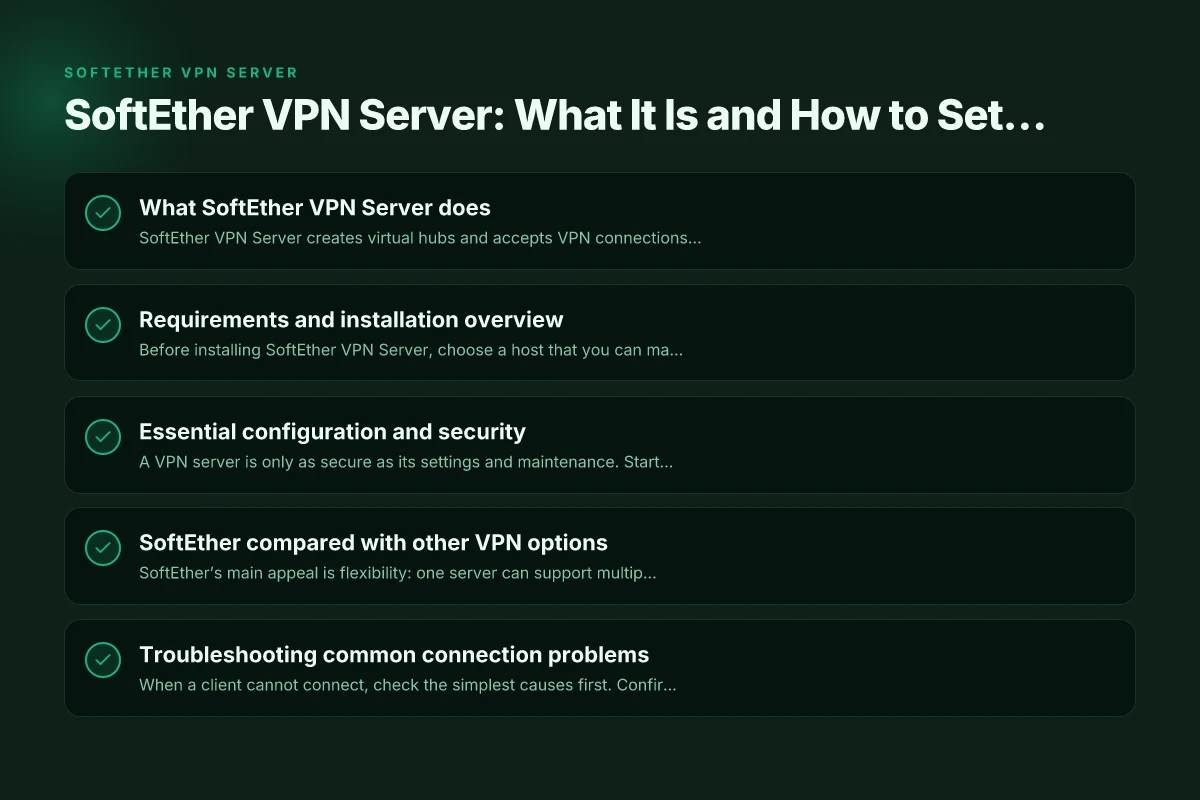
What SoftEther VPN Server does
SoftEther VPN Server creates virtual hubs and accepts VPN connections from compatible clients. Once connected, a user can access permitted network resources as if they were connected to the local network, subject to the server’s routing and access rules.
One notable feature is its support for several protocols, including SoftEther’s own SSL-VPN protocol, L2TP/IPsec, and OpenVPN-compatible connections. This can help accommodate different devices and existing configurations. Protocol availability and setup details depend on the version and client software being used.
SoftEther is often considered for:
- Remote access to a home or business network
- Connecting two or more private networks
- Providing VPN access to a small team
- Learning about VPN administration in a lab
A VPN encrypts traffic between a client and the VPN server, but it does not automatically make every part of a network secure. The server’s configuration, the client device, and the applications being accessed all matter. Best VPN Extensions for Edge: Top Picks for Privacy, Speed, and Streaming
Requirements and installation overview
Before installing SoftEther VPN Server, choose a host that you can maintain and secure. This might be a Linux server, a Windows machine, or a virtual private server. If the server sits behind a router, you may need to configure port forwarding. Hosting it on the public internet also means it will receive connection attempts from untrusted sources.
Check these basics before proceeding:
- A supported operating system and sufficient system resources
- Administrator or root access for installation and configuration
- A stable public IP address or a reliable dynamic DNS hostname
- Firewall rules that allow only the VPN traffic you intend to use
- A plan for backups, updates, and monitoring
Download the software from the official SoftEther project source, and verify that you are using a legitimate release. Follow the installation instructions for your operating system, then use the SoftEther Server Manager or command-line administration tools to create the initial configuration.
During setup, define a virtual hub, configure user accounts, and decide whether users need access to the server itself, a private network behind it, or both. Avoid enabling services and protocols you do not need. FortiClient IPsec VPN: Setup, Configuration, and Troubleshooting
SoftEther setup requirements and decisions
| Decision area | What to prepare | Why it matters | Reader action |
|---|---|---|---|
| Host machine | A computer or server | Runs the VPN service | Choose an always-available host |
| Network access | Reachable server address | Clients need a route to the server | Check firewall and router settings |
| Installation package | SoftEther VPN Server package | Provides the server software | Use the package for the host platform |
| Administrator access | Permission to install and configure | Setup changes system and network settings | Confirm access before starting |
| Authentication | User accounts or certificates | Controls who can connect | Create authorized credentials |
| Client software | Compatible VPN client | Connects devices to the server | Confirm client protocol support |
| Maintenance plan | Updates and access review | Reduces security and reliability risks | Review configuration regularly |
Compiled November 2026; check the provider's site for current details.
Essential configuration and security
A VPN server is only as secure as its settings and maintenance. Start by replacing default administrative credentials and using unique, strong passwords. For a business or other sensitive deployment, consider certificate-based authentication or another appropriate multi-factor approach where supported by your chosen connection method.
Limit access deliberately: BIG-IP Edge Client VPN: What It Is and How to Connect
- Create individual accounts rather than sharing one login.
- Grant users only the network access their roles require.
- Disable unused protocols, listeners, and management interfaces.
- Restrict administration to trusted addresses or a private management network.
- Use firewall rules to expose only necessary ports.
- Keep the host operating system and SoftEther installation patched.
Choose protocols based on client compatibility and your security requirements. SoftEther’s SSL-VPN protocol can be useful when clients need to connect through networks that restrict other VPN traffic. L2TP/IPsec may be convenient for devices with built-in support, while OpenVPN compatibility can help when using OpenVPN clients. Do not assume that every protocol has identical settings or security properties. Consult current project documentation and configure the selected option correctly.
Also plan how VPN clients receive addresses and reach internal resources. Routing, DNS, and access-control settings can affect whether users can reach private services or browse the internet through the VPN. Test these behaviors from a client before relying on the server.
SoftEther compared with other VPN options
SoftEther’s main appeal is flexibility: one server can support multiple connection methods. That can simplify access for a mixed group of devices, but it also adds configuration choices that administrators must understand.
| Option | Typical strength | Consideration |
|---|---|---|
| SoftEther VPN Server | Multiple supported protocols and flexible configuration | Requires hands-on setup and ongoing administration |
| WireGuard | Lightweight design and straightforward performance | Uses its own protocol and may need separate tooling for user management |
| OpenVPN | Broad compatibility and mature deployment options | Configuration can be detailed, especially for larger deployments |
| Managed VPN service | Less server maintenance for the customer | May involve subscription costs and less control over infrastructure |
These options are not interchangeable in every environment. The right choice depends on client support, network layout, security policies, administrator experience, and the need for self-hosting. Compare current documentation and test the intended setup before moving production traffic. VPN Edge Extension Free: How to Choose and Use One Safely
Troubleshooting common connection problems
When a client cannot connect, check the simplest causes first. Confirm that the server is running, the hostname resolves to the correct public IP address, and the required traffic can pass through both the host firewall and any router or cloud firewall.
Common issues include:
- Connection timeouts: Check firewall rules, port forwarding, and the server’s listening configuration.
- Authentication failures: Verify the username, password, certificate, and account status.
- Connection succeeds but resources are unreachable: Review virtual hub settings, routes, client IP assignment, and access permissions.
- Unexpected DNS behavior: Check which DNS servers clients receive and whether those servers are reachable.
- Intermittent performance: Test the host’s internet connection, CPU load, routing, and client network restrictions.
Review server logs and client error messages rather than repeatedly changing settings at random. Make one change at a time, document it, and retest. A small test account and a noncritical device can help you validate a configuration before granting broader access.
SoftEther connection troubleshooting guide Free VPN With Country Selection: What to Look For
| Symptom | Likely area to check | Useful check | Possible next step |
|---|---|---|---|
| Server cannot be reached | Host or network | Confirm the host is online | Check routing and firewall rules |
| Connection times out | Ports or filtering | Verify required traffic is allowed | Review router and host firewall settings |
| Login is rejected | Credentials or account | Recheck username and authentication method | Reset credentials or review account access |
| Client cannot establish a tunnel | Protocol compatibility | Confirm the client uses a supported method | Try a compatible client configuration |
| Connection works only locally | Router or external access | Test from outside the local network | Review address and port forwarding |
| VPN connects but resources are unavailable | Routes or DNS | Check assigned network settings | Correct routing or name-resolution settings |
| Connection drops repeatedly | Network stability | Compare behavior across networks | Check host uptime and network quality |
Compiled November 2026; check the provider's site for current details.
Recommendation
Choose SoftEther VPN Server when you want a self-hosted VPN with multiple protocol options and are prepared to manage the server securely. Install it from an official source, expose only the services you need, use strong individual authentication, and keep both the server software and operating system updated. For a production or business deployment, test access controls, routing, recovery procedures, and client compatibility before inviting users to connect.