TunnelBear Extension Edge: How to Install and Use It

Learn whether TunnelBear has an Edge extension, how to set it up, and which option to use for VPN protection in Microsoft Edge.
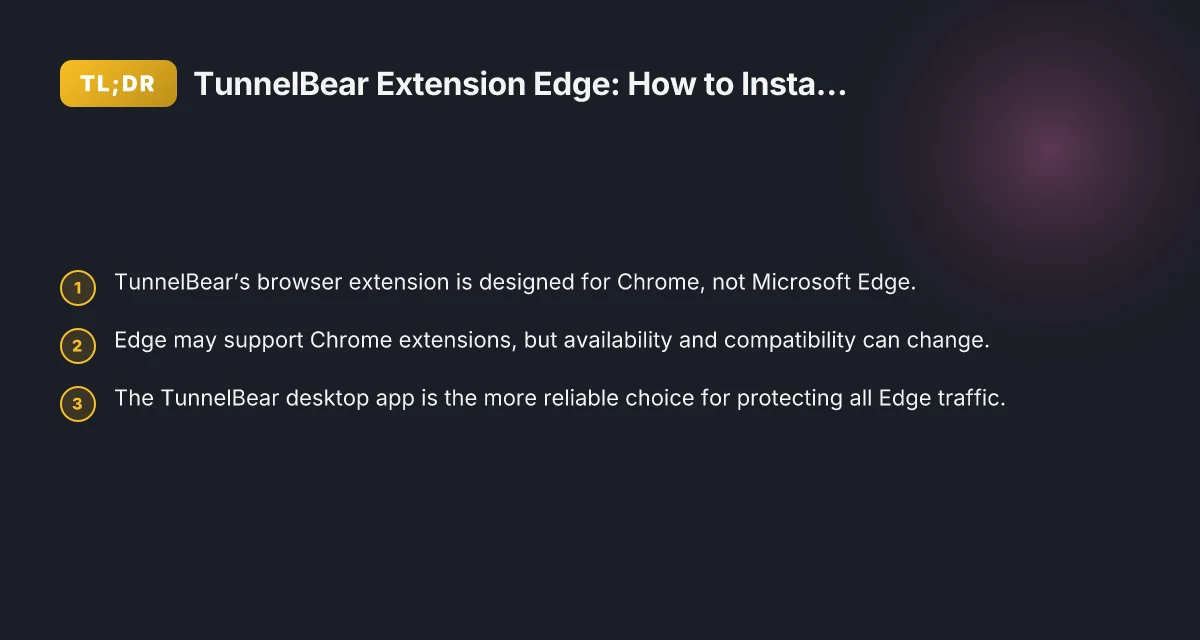
If you’re searching for the TunnelBear extension for Edge, the key point is that TunnelBear’s browser extension has traditionally been offered for Chrome rather than as a dedicated Microsoft Edge extension. You may be able to install the Chrome version through Edge’s Chrome Web Store compatibility, but that does not guarantee it will be available or work as intended. For consistent VPN protection in Edge, install the official TunnelBear app for your computer and connect before browsing.
Quick comparison of TunnelBear options in Microsoft Edge
| Option | Works in Edge? | Setup | Protection scope | Best for |
|---|---|---|---|---|
| Dedicated Edge extension | No dedicated extension | Not available | Not applicable | None |
| Chrome extension in Edge | May work | Install from Chrome Web Store | Browser traffic | Browser-only use |
| TunnelBear desktop app | Yes | Install the app | Device traffic | Whole-device protection |
| Extension and desktop app | Potentially | Install both | Depends on app settings | Comparing workflows |
| Neither option | Yes, but without TunnelBear | No setup | No TunnelBear protection | Users who do not need a VPN |
Compiled November 2026; check the provider's site for current details.
Is there a TunnelBear extension for Microsoft Edge?
TunnelBear provides VPN apps for supported desktop and mobile platforms, and it has also offered a browser extension for Chrome. Microsoft Edge is based on Chromium, the same browser foundation used by Chrome, so it can run many extensions made for Chrome.
That technical compatibility is not the same as official Edge support. Extension listings, browser policies, and TunnelBear’s product offerings can change. Check TunnelBear’s official website and the Microsoft Edge Add-ons store for the current supported options before installing anything.
A browser extension may also work differently from a full VPN app. Depending on the product and its settings, it may protect browser activity without routing traffic from other apps on your device.

How to try the Chrome extension in Edge
If TunnelBear’s Chrome extension is currently available and you want to test it in Edge, use the official listing and follow these steps: Where Is My VPN Located? How to Check Your VPN Location
- Open Microsoft Edge.
- Go to Settings and more (the three-dot menu), then Extensions.
- Find the option to allow extensions from other stores and enable it, if Edge presents it.
- Open the official TunnelBear listing in the Chrome Web Store.
- Review the publisher and permissions, then select Add to Chrome if Edge allows the installation.
- Find the extension in Edge’s Extensions menu, sign in, and connect to a location.
The wording of Edge’s menus can differ across versions. If the Chrome Web Store blocks the installation, the extension is missing, or Edge reports a compatibility problem, don’t download an installer from an unofficial site. Use TunnelBear’s official app instead.
After installation, check that the extension is connected before visiting sites you want to access through it. If it disconnects, update Edge and the extension, then try disabling conflicting extensions. Browser updates can affect compatibility.
Chrome extension in Edge versus desktop app
| Comparison point | Chrome extension in Edge | Desktop app |
|---|---|---|
| Availability | Chrome extension may work in Edge | TunnelBear app is available |
| Installation source | Chrome Web Store | TunnelBear |
| Setup requirement | Allow Chrome extensions in Edge | Install the app |
| Coverage | Browser traffic | Device traffic |
| Edge compatibility | May vary | Works independently of Edge extensions |
| Troubleshooting focus | Extension settings and browser support | App, connection, and device settings |
Compiled November 2026; check the provider's site for current details. Big IP VPN Download: Safe Setup, Alternatives, and What to Check
Extension versus desktop app
The right choice depends on what you want to protect. A browser extension is convenient when its functions are supported, but a desktop VPN app generally offers broader device-level coverage.
| Option | What it may protect | Best for | Main consideration |
|---|---|---|---|
| TunnelBear browser extension | Browser traffic covered by the extension | Quick browser-based use | Availability and Edge compatibility may vary |
| TunnelBear desktop app | Traffic routed through the VPN on the device | Protecting Edge and other apps | Requires installing and connecting the app |
| No VPN connection | No VPN tunnel | General browsing without VPN protection | Your traffic is not routed through TunnelBear |
A desktop app is usually the safer recommendation if you want TunnelBear protection while using Edge, especially for traffic from applications beyond the browser. An extension should not be assumed to protect every connection on your computer.
Installing TunnelBear’s desktop app
For device-wide VPN protection, visit TunnelBear’s official website and choose the app for your operating system. Download it only from TunnelBear or an official app store, then follow the installation instructions.
Once it is installed: Urban VPN Extension Edge Download: How to Install It Safely
- Open the app and sign in or create an account.
- Choose an available location.
- Connect to the VPN.
- Open Edge and browse as usual.
- Disconnect in the app when you no longer need the VPN.
Keep the app and Edge up to date. If a website behaves unexpectedly, try another available VPN location or temporarily disconnect to check whether the VPN connection is causing the issue. Some websites restrict VPN traffic, and a VPN does not make you anonymous or replace safe browsing habits.
Choose the right option for your needs
| Your need | Suggested option | Why it fits | Key caveat |
|---|---|---|---|
| Protect traffic only in Edge | Try the Chrome extension | It is browser-focused | Edge support may vary |
| Protect traffic across your device | Desktop app | It covers device traffic | Requires app installation |
| Use a dedicated Edge add-on | No direct option | TunnelBear has no dedicated Edge extension | Do not mistake the Chrome add-on for an Edge-specific one |
| Extension does not install | Desktop app | Avoids reliance on browser-extension setup | It is a separate install |
| Extension is not working | Check Edge extension settings | Browser settings can affect use | The extension may not be supported in every setup |
| Unsure which to use | Start with the desktop app | It is the broader device-level option | Choose the extension only for browser-only use |
Compiled November 2026; check the provider's site for current details.
Troubleshooting common problems
The extension is not listed. Search the official TunnelBear site and the Edge Add-ons store for current availability. If there is no supported Edge listing and the Chrome Web Store route is unavailable, use the desktop app. iPhone VPN Keeps Turning On: Why It Happens and How to Stop It
Edge will not install the Chrome extension. Confirm that Edge allows extensions from other stores, if that option is available. Organizational or school policies may block third-party extensions, and some extensions may not be compatible with your browser version.
The extension installs but will not connect. Check your internet connection, sign-in status, and extension permissions. Update the browser and extension, then restart Edge. If the problem continues, consult TunnelBear’s official support resources.
You want to protect more than browser activity. Connect through the TunnelBear desktop app. A browser extension should not be treated as a replacement for a device-level VPN unless TunnelBear clearly states that it covers all device traffic.
Recommendation
For most Edge users, install the official TunnelBear desktop app and connect before browsing. Try the Chrome extension in Edge only if TunnelBear currently offers it and Edge permits the installation. Verify that it connects and behaves as expected. If you need a browser-only extension, choose an option listed through an official store and confirm its publisher and current Edge compatibility. IPsec VPN FortiGate: Setup, Configuration, and Troubleshooting