Urban VPN Chrome Extension: Features, Setup, and What to Know
Learn what the Urban VPN Chrome extension offers, how to install and use it, and what to check before relying on it.
The Urban VPN Chrome extension, listed as Urban VPN Proxy in the Chrome Web Store, is a browser add-on designed to help users access websites and content through a VPN-style connection. Urban VPN describes its browser extension as free, quick to activate, and available with unlimited bandwidth. If you are considering it, check that the listing is available in your region, review its permissions and privacy information, and understand which traffic the extension covers before installing.
Urban VPN Chrome extension: quick feature comparison
| Area | What it offers | What to check | Practical takeaway |
|---|---|---|---|
| Browser access | Chrome extension | Confirm it appears in Chrome Web Store | Install from the official listing |
| Connection | VPN connection through Chrome | Check the selected location | Choose a location that fits your needs |
| Setup | Add extension, then connect | Review requested permissions | Allow only what you understand |
| Availability | Depends on service and listing | Check current Chrome compatibility | Store details may change |
| Privacy | Service-specific data practices | Read the current privacy policy | Do not assume browsing is private |
| Security | Service-specific protections | Check encryption and security claims | Verify claims before relying on it |
| Limitations | Extension scope may differ from a full app | Check which traffic it covers | Do not assume all device traffic is protected |
Compiled November 2026; check the provider's site for current details.
| VPN | Obfuscation | From / month | Plan | Free plan | Refund | Alipay | UnionPay | Crypto | Website opens in China | Trustpilot | |
|---|---|---|---|---|---|---|---|---|---|---|---|
 ZoogVPN | Turn on manually Shadow | $2.49/mo | 27 months: $59.99 | Yes | 7 days | ✓ | ✓ | ✓ | ✓ | Official site blocked; our special link opens (4.4 s) | 4.2/5 (195 reviews) |
 NordVPN | Turn on manually Obfuscated Servers / NordWhisper | $3.49/mo | 27 months: $94.23 | No | 30 days | ? | ✗ | ✓ | ✓ | ✗ Blocked | 4.2/5 (51,628 reviews) |
 ExpressVPN | ✓ On by default all servers | $3.00/mo | 28 months: $84 | No | 30 days | ✗ | ✗ | ✓ | ✗ | ✗ Blocked | 4.4/5 (29,706 reviews) |
 Surfshark | ✓ On by default Camouflage, with OpenVPN | See site | See site | No | 30 days | ✗ | ✗ | ✗ | ✓ | ✗ Blocked | 4.3/5 (31,823 reviews) |
 Proton VPN | Turn on manually Stealth, free plan too | $2.99/mo | 12 months: $35.88 | Yes | 30 days | ✗ | ✗ | ✗ | ✓ | ✗ Blocked | 2.1/5 (1,040 reviews) |
 Astrill VPN | Turn on manually StealthVPN / OpenWeb | $12.50/mo | 24 months: $300 | No | See site | ✗ | ✗ | ✗ | ✓ | ✗ Blocked | 1.3/5 (110 reviews) |
 Private Internet Access | Turn on manually Shadowsocks, OpenVPN only | $2.03/mo | 40 months: $81.2 | No | 30 days | ✗ | ✗ | ✗ | ✗ | ✗ Blocked | 4.2/5 (11,033 reviews) |
 CyberGhost | Turn on manually selected servers | $2.19/mo | 28 months: $61.32 | No | 45 days | ✗ | ✗ | ✗ | ✓ | ✗ Blocked | 4.0/5 (24,178 reviews) |
 PureVPN | Turn on manually switch to OpenVPN | $1.69/mo | 60 months: $101.55 | No | 31 days | ? | ? | ✗ | ✓ | ✗ Blocked | 4.4/5 (17,994 reviews) |
 AdGuard VPN | ✓ On by default TrustTunnel | $2.99/mo | 24 months: $71.76 | Yes | 30 days | ✓ | ✗ | ✓ | ✓ | Official site blocked; our special link opens (3.7 s) | 4.3/5 (290 reviews) |
 Mullvad | Turn on manually QUIC / Shadowsocks / LWO | $5.61/mo | €5/mo | No | 14 days | ✗ | ✗ | ✗ | ✓ | ✗ Blocked | 3.2/5 (192 reviews) |
 Windscribe | Turn on manually Stealth / WStunnel | $5.75/mo | 12 months: $69 | Yes | See site | ✗ | ✗ | ✗ | ✓ | ✗ Blocked | 4.7/5 (13,355 reviews) |
 StrongVPN | Turn on manually Scramble, OpenVPN TCP | See site | See site | No | 30 days | ✓ | ✗ | ✗ | ✗ | ✗ Blocked | 4.4/5 (2,695 reviews) |
 LightXtreme 闪连 | Not listed | $7.08/mo | 12 months: $84.99 | Yes | 30 days | ✓ | ✓ | ✓ | ✓ | ✓ Yes (3.5 s) | No page |
Prices checked 2026-11-10 on each vendor's pricing page (cheapest long plan, USD). Check the vendor's checkout for the final price.
Obfuscation checked 2026-11-14 on each vendor's site and help center: "on by default" = nothing to set; "turn on manually" = switch protocol or mode in settings; "not listed" = the vendor describes no obfuscation.
Payment methods checked 2026-11-10 on each vendor's payment pages: all 14 take cards and PayPal; ✗ = not listed, ? = the vendor's own pages disagree.
China access: whether the official website opens from mainland China networks (tests the website only, not the VPN connection). Last checked 2026-11-18 01:02 Beijing time.
Trustpilot score and review count checked 2026-11-10.
What the Urban VPN Chrome extension does
Urban VPN Proxy is intended to work within Google Chrome. A browser VPN extension typically routes some or all browser traffic through a remote server, which can make websites see the server’s IP address rather than your regular connection’s address. Urban VPN promotes its extension for accessing websites and unblocking content.
The provider also describes its browser extension as offering swift activation and unlimited bandwidth, positioning it for activities such as browsing, streaming, and downloads. Those are product claims, not a guarantee that every website will work or that performance will always be the same. Connection speed and access can depend on the selected location, the website, your network, and the service’s current operation.
It is also useful to distinguish a browser extension from a full-device VPN application. An extension generally affects traffic handled by the browser in which it is enabled. Other apps on your computer may continue to use your normal internet connection unless a separate device-level VPN is active.
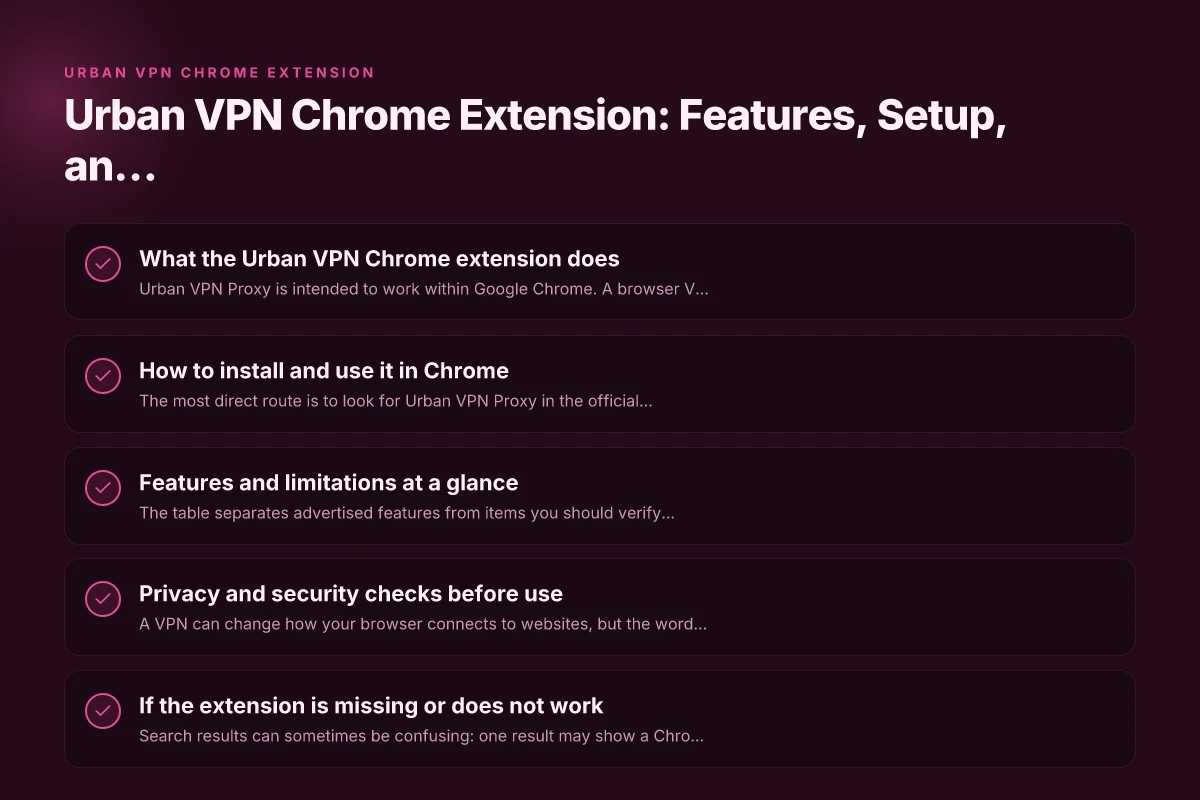
How to install and use it in Chrome
The most direct route is to look for Urban VPN Proxy in the official Chrome Web Store. The search result for the extension identifies it as a free VPN product from Urban VPN. Because store listings and availability can change, confirm that the publisher and listing are the ones you intend to use before installing. How to Turn Off Microsoft Edge VPN: Disable Secure Network
Basic setup
- Open the Chrome Web Store and search for Urban VPN Proxy.
- Check the listing details, publisher information, permissions, and privacy disclosures.
- Select the option to add the extension to Chrome, if the listing is available.
- Review Chrome’s permission prompt before confirming.
- Open the extension from Chrome’s toolbar and follow its on-screen instructions to connect or select a location.
- Visit a website and check whether the connection behaves as expected.
If you cannot find the extension in the store, do not assume that every download page offering a similar name is official. Search results include third-party download sites, but the official store or Urban VPN’s own website is the safer place to verify current product information. Avoid installing a file from an unfamiliar source simply to get around a missing listing.
How to choose a VPN option for Chrome
| Decision factor | Urban VPN extension | Another browser extension | Full VPN app |
|---|---|---|---|
| Runs in Chrome | Yes, as an extension | Yes, if supported | Usually separately |
| Setup location | Chrome Web Store | Browser’s extension store | Provider’s official source |
| Coverage | Check extension scope | Check extension scope | Check device-wide coverage |
| Permissions | Review in Chrome | Review in browser store | Review during installation |
| Privacy details | Read provider policy | Read provider policy | Read provider policy |
| Connection options | Check the extension | Compare available options | Compare app options |
| Best first check | Listing and permissions | Listing and permissions | Official download and policy |
Compiled November 2026; check the provider's site for current details.
Features and limitations at a glance
| Area | What Urban VPN says or what to check |
|---|---|
| Cost | The browser extension is promoted as free. |
| Data allowance | Urban VPN advertises unlimited bandwidth for its browser extension. |
| Intended use | The provider promotes access to websites and content, including streaming and downloads. |
| Browser coverage | The extension is for Chrome; do not assume it protects traffic from other apps. |
| Availability | Check the current Chrome Web Store listing, since availability can change. |
| Privacy and security | Read the current privacy policy, permissions, and connection details before use. |
The table separates advertised features from items you should verify yourself. “Free” and “unlimited bandwidth” describe the provider’s offer, but they do not establish how the service handles data, whether every feature is available to every user, or what performance you will get. Nord VPN Not Working in China: Causes and Troubleshooting Steps
Privacy and security checks before use
A VPN can change how your browser connects to websites, but the word “VPN” alone does not tell you everything about privacy. Before relying on Urban VPN Proxy, take a few minutes to understand what the extension requests and what information the service may process.
Review:
- Permissions: Check what Chrome says the extension can access. Permissions should make sense for its stated function.
- Privacy policy: Look for explanations of data collection, retention, sharing, and how to contact the provider.
- Connection behavior: Confirm when the extension is connected and whether it provides any status or location information.
- Sensitive activity: Avoid assuming that a browser VPN makes every login, payment, or download anonymous or risk-free.
- Other protection: Keep Chrome and your operating system updated, and use strong, unique passwords and multifactor authentication where available.
Urban VPN’s website describes security features intended to help shield browsing from threats such as phishing attempts, malware, and intrusive ads. Treat those descriptions as features to evaluate rather than as a substitute for safe browsing habits or dedicated security software. A VPN extension cannot make unsafe links harmless, and it does not remove the need to verify websites before entering personal information.
Troubleshooting and pre-use checks Urban VPN for Edge: How to Install and What to Know
| Situation | Check first | What to do | When to reconsider |
|---|---|---|---|
| Extension is missing | Chrome Web Store listing | Search the official listing | If it is unavailable or unverified |
| Install does not finish | Chrome version and connection | Retry after updating Chrome | If installation still fails |
| Extension will not open | Chrome toolbar and extensions page | Pin or enable the extension | If it remains unavailable |
| Connection does not start | Extension status and selected location | Reconnect or choose another location | If repeated attempts fail |
| Website still shows your location | Connection status and site behavior | Test again after reconnecting | If location exposure persists |
| Permissions seem excessive | Chrome’s permission prompt | Review before accepting | If the purpose is unclear |
| Privacy terms are unclear | Current provider policy | Check data collection and sharing | If the policy does not meet your needs |
Compiled November 2026; check the provider's site for current details.
If the extension is missing or does not work
Search results can sometimes be confusing: one result may show a Chrome Web Store listing, while a user discussion reports that the extension was unavailable at another time. These reports do not establish its current status. Availability may differ by date or region, so check the live store listing and Urban VPN’s official site.
If you have installed the extension but it is not working, try these basic steps:
- Confirm that Chrome is up to date and that the extension is enabled.
- Disconnect and reconnect, or try another available location if the extension offers one.
- Check whether the website itself blocks proxy or VPN connections.
- Temporarily disable conflicting browser extensions to identify possible interference.
- Review the extension’s support information for current troubleshooting guidance.
Urban VPN also provides information about Chrome proxy settings. Those settings are separate from the extension’s own controls, so changing them manually may affect how Chrome connects. Do not alter proxy settings unless you understand the change and know how to restore the previous configuration. FortiGate VPN: How It Works and How to Connect
Recommendation
The Urban VPN Chrome extension may suit people looking for a free, browser-based way to change their apparent connection location and access websites. Start by verifying the official Urban VPN Proxy listing, then inspect its permissions and privacy disclosures. Use it with realistic expectations: advertised unlimited bandwidth does not guarantee consistent speed or access, and a Chrome extension should not be treated as protection for every app on your device.