VPN Location Changer Free: How to Change Your Virtual Location Safely
Learn how a free VPN changes your apparent location, what to check before choosing one, and how to connect safely.
A free VPN location changer routes your internet connection through a VPN server, so websites generally see the server’s IP address and location rather than your own. To change your apparent location for free, choose a reputable VPN with a free plan, select one of its available server locations, and connect. Keep in mind that a VPN does not change your GPS location or guarantee access to every location or service.
Free VPN location changer feature comparison
| Option | Server countries | Manual location choice | Free data limit | Main trade-off |
|---|---|---|---|---|
| Proton VPN Free | Limited selection | Supported, within free locations | Unlimited | Fewer location choices |
| Windscribe Free | Several countries | Supported, within free locations | Monthly allowance | Data limit applies |
| PrivadoVPN Free | Several countries | Supported, within free locations | Monthly allowance | Data limit applies |
| TunnelBear Free | Broad selection | Supported | Monthly allowance | Smaller data allowance |
| Hide.me Free | Limited selection | Supported, within free locations | Monthly allowance | Free-plan restrictions |
| VPNBook | Limited selection | Supported, by server | No stated limit | Less polished experience |
Compiled November 2026; check the provider's site for current details.
| VPN | Obfuscation | From / month | Plan | Free plan | Refund | Alipay | UnionPay | Crypto | Website opens in China | Trustpilot | |
|---|---|---|---|---|---|---|---|---|---|---|---|
 Proton VPN | Turn on manually Stealth, free plan too | $2.99/mo | 12 months: $35.88 | Yes | 30 days | ✗ | ✗ | ✗ | ✓ | ✗ Blocked | 2.1/5 (1,040 reviews) |
 Windscribe | Turn on manually Stealth / WStunnel | $5.75/mo | 12 months: $69 | Yes | See site | ✗ | ✗ | ✗ | ✓ | ✗ Blocked | 4.7/5 (13,355 reviews) |
 ZoogVPN | Turn on manually Shadow | $2.49/mo | 27 months: $59.99 | Yes | 7 days | ✓ | ✓ | ✓ | ✓ | Official site blocked; our special link opens (4.4 s) | 4.2/5 (195 reviews) |
 NordVPN | Turn on manually Obfuscated Servers / NordWhisper | $3.49/mo | 27 months: $94.23 | No | 30 days | ? | ✗ | ✓ | ✓ | ✗ Blocked | 4.2/5 (51,628 reviews) |
 ExpressVPN | ✓ On by default all servers | $3.00/mo | 28 months: $84 | No | 30 days | ✗ | ✗ | ✓ | ✗ | ✗ Blocked | 4.4/5 (29,706 reviews) |
 Surfshark | ✓ On by default Camouflage, with OpenVPN | See site | See site | No | 30 days | ✗ | ✗ | ✗ | ✓ | ✗ Blocked | 4.3/5 (31,823 reviews) |
 Astrill VPN | Turn on manually StealthVPN / OpenWeb | $12.50/mo | 24 months: $300 | No | See site | ✗ | ✗ | ✗ | ✓ | ✗ Blocked | 1.3/5 (110 reviews) |
 Private Internet Access | Turn on manually Shadowsocks, OpenVPN only | $2.03/mo | 40 months: $81.2 | No | 30 days | ✗ | ✗ | ✗ | ✗ | ✗ Blocked | 4.2/5 (11,033 reviews) |
 CyberGhost | Turn on manually selected servers | $2.19/mo | 28 months: $61.32 | No | 45 days | ✗ | ✗ | ✗ | ✓ | ✗ Blocked | 4.0/5 (24,178 reviews) |
 PureVPN | Turn on manually switch to OpenVPN | $1.69/mo | 60 months: $101.55 | No | 31 days | ? | ? | ✗ | ✓ | ✗ Blocked | 4.4/5 (17,994 reviews) |
 AdGuard VPN | ✓ On by default TrustTunnel | $2.99/mo | 24 months: $71.76 | Yes | 30 days | ✓ | ✗ | ✓ | ✓ | Official site blocked; our special link opens (3.7 s) | 4.3/5 (290 reviews) |
 Mullvad | Turn on manually QUIC / Shadowsocks / LWO | $5.61/mo | €5/mo | No | 14 days | ✗ | ✗ | ✗ | ✓ | ✗ Blocked | 3.2/5 (192 reviews) |
 StrongVPN | Turn on manually Scramble, OpenVPN TCP | See site | See site | No | 30 days | ✓ | ✗ | ✗ | ✗ | ✗ Blocked | 4.4/5 (2,695 reviews) |
 LightXtreme 闪连 | Not listed | $7.08/mo | 12 months: $84.99 | Yes | 30 days | ✓ | ✓ | ✓ | ✓ | ✓ Yes (3.5 s) | No page |
Prices checked 2026-11-10 on each vendor's pricing page (cheapest long plan, USD). Check the vendor's checkout for the final price.
Obfuscation checked 2026-11-14 on each vendor's site and help center: "on by default" = nothing to set; "turn on manually" = switch protocol or mode in settings; "not listed" = the vendor describes no obfuscation.
Payment methods checked 2026-11-10 on each vendor's payment pages: all 14 take cards and PayPal; ✗ = not listed, ? = the vendor's own pages disagree.
China access: whether the official website opens from mainland China networks (tests the website only, not the VPN connection). Last checked 2026-11-18 01:02 Beijing time.
Trustpilot score and review count checked 2026-11-10.
What a free VPN location changer does
When you connect to a VPN, your traffic travels through a server operated by the VPN provider. The IP address visible to websites is typically the server’s address. Since IP addresses are associated with approximate locations, this can make your browsing appear to come from another place.
A VPN can also encrypt traffic between your device and the VPN server. This can help protect your connection, particularly on public Wi-Fi, but it does not make you completely anonymous. Websites may still identify you through account logins, cookies, browser settings, or other signals.
A VPN changes your apparent IP-based location. It does not necessarily change:
- Your device’s GPS location
- The country associated with an account or payment method
- Location details shared by apps through device permissions
- A website’s decision about whether to provide access
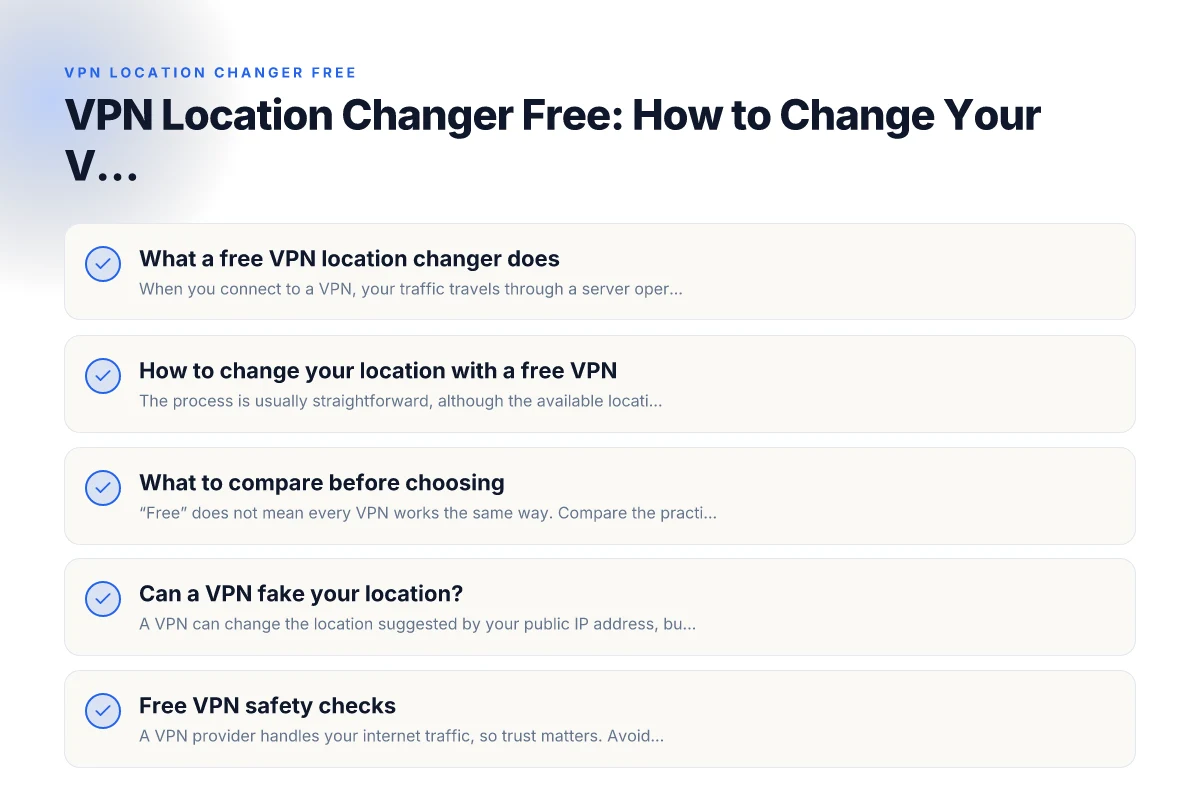
How to change your location with a free VPN
The process is usually straightforward, although the available locations depend on the provider and its free-plan rules. What Is a.ovpn File? How to Open, Use, and Protect It
- Choose a VPN provider and review its free-plan details.
- Download its official app from the provider’s website or your device’s trusted app store.
- Create an account if the provider requires one.
- Open the app and look for its server list or location menu.
- Select an available country or server, then connect.
- Check your apparent IP location using a trusted IP-checking service.
If the app connects automatically, it may choose the fastest available server rather than the country you want. Look for a manual location option before signing up. Free plans may offer only a limited selection, and some providers reserve country selection or other features for paid users.
What to compare before choosing a free VPN
| Check | Why it matters | Look for | Warning sign |
|---|---|---|---|
| Available locations | Determines which virtual regions you can select | Locations listed for the free plan | Paid-only locations presented as free |
| Data allowance | Affects streaming and repeated use | Clear monthly limit or unlimited plan | Unclear or changing limits |
| Privacy policy | Explains what connection data is kept | Plain-language logging details | Vague data-retention terms |
| Encryption | Helps protect traffic on the VPN connection | Current, clearly documented protection | No technical details |
| Leak protection | Helps prevent exposure outside the VPN tunnel | DNS and IP leak safeguards | No leak protections described |
| App permissions | Shows what the app can access | Permissions that fit its function | Unnecessary access requests |
| Independent reviews | Adds evidence beyond marketing claims | Recent, credible security audits | Unsupported privacy promises |
Compiled November 2026; check the provider's site for current details.
What to compare before choosing
“Free” does not mean every VPN works the same way. Compare the practical limits and privacy terms before installing an app. Best Free VPN for Microsoft Edge: Top Choices and What to Know
| Feature | What to check |
|---|---|
| Location selection | Can you manually choose a country, or does the app select for you? |
| Data limits | Is usage capped, or does the provider advertise no data limit? |
| Privacy policy | Does the provider explain what connection or activity data it collects? |
| Ads and account requirements | Does the app show ads or require registration? |
| Device support | Is there an official app for your phone, computer, or other device? |
| Reliability | Does the service connect consistently, and is there help if it stops working? |
For example, Proton VPN advertises a free plan with no data limit, no ads, and no logs of user activity. Planet VPN says its free service has no limits on traffic, bandwidth, or time and offers browsing with a changed location. These are provider claims, so read the current plan details and privacy policy yourself before relying on them. Available locations and features can change.
Online discussions may point to other free VPNs, but recommendations from forums or question-and-answer sites are personal experiences, not independent proof of security or privacy. Treat them as starting points for research rather than guarantees.
Can a VPN fake your location?
A VPN can change the location suggested by your public IP address, but “fake your location” can mean different things. If a website uses IP geolocation, a VPN server in another country may make your connection appear to come from that country. If an app checks GPS, a VPN alone will not alter the GPS information from your device.
Some services also use additional checks, such as account details, saved cookies, or payment information. As a result, changing your VPN server may not change the location a service associates with you or provide access to content. Follow the service’s terms and local rules, and do not assume that a VPN can bypass every location check. Axgate VPN: How It Works, Where to Get the Client, and What to Check
Can a VPN change your location safely?
| Location signal | Can a VPN change it? | What the VPN does | What may still reveal you |
|---|---|---|---|
| Public IP address | Yes | Routes traffic through a selected server | IP leaks or VPN disconnection |
| Website-estimated region | Often | Supplies an IP associated with another region | Account history or browser data |
| GPS location | No, not by itself | Does not change device GPS readings | Location services and GPS access |
| Wi-Fi location | No, not by itself | Does not alter nearby network data | Wi-Fi and device location services |
| App-store country | No, not by itself | Does not change account-region settings | Store account and payment details |
| Browser location | Not reliably | May change IP-based estimates | Site permissions and device signals |
| Streaming access | Sometimes | Changes the apparent network location | Service rules and VPN detection |
Compiled November 2026; check the provider's site for current details.
Free VPN safety checks
A VPN provider handles your internet traffic, so trust matters. Avoid choosing an app based only on a promise of unlimited access or a long list of locations.
Before connecting, check that: Best Free VPN Extension for Edge Browser: Top Picks and Trade-Offs
- The app comes from the provider’s official site or a trusted app store.
- The privacy policy clearly describes what data is collected and how it is used.
- The provider explains its logging practices rather than relying only on a slogan.
- The free plan’s limits and available locations are stated clearly.
- The app requests permissions that make sense for a VPN.
Be cautious with unknown apps that request unrelated access, make vague privacy promises, or conceal who operates the service. Also remember that a VPN does not protect you from phishing, malicious downloads, or every form of tracking.
Recommendation
For a free VPN location changer, start with a provider that clearly explains its privacy practices and lets you confirm which locations are available before you depend on it. Connect to a server in the country you need, then verify your IP-based location. If you need GPS-level location changes, a VPN by itself is not enough.