VPN That Allows You to Choose Location: How to Pick the Right One
Learn how location selection works in VPNs, what features to compare, and how to choose a server for privacy, speed, or travel.
A VPN that allows you to choose a location lets you select a server in a particular country or city, then routes your internet traffic through it. Websites generally see the server’s IP address rather than your original public IP address. If you want more control than an automatic “fastest server” connection offers, look for a VPN with an easy-to-use server list, locations that match your needs, and transparent privacy and subscription terms.
How to choose a VPN location for your needs
| Your goal | Location to consider | What to check | Possible trade-off |
|---|---|---|---|
| Access a service abroad | A country where the service is available | Service terms and VPN support | Access may vary |
| Get a nearby connection | A nearby city or country | Server locations and latency | Fewer location choices |
| Use local websites while traveling | Your home country | Available servers and connection stability | Longer route from abroad |
| Improve privacy | A location that fits your privacy needs | Provider privacy policy and jurisdiction | Location alone does not ensure privacy |
| Watch local content | A country with the relevant catalog | Service availability and VPN detection | Catalogs can change |
| Find a specific city | A city listed in the VPN app | City-level selection support | City options may be limited |
| Use public Wi-Fi | A suitable nearby server | Security features and connection reliability | VPN does not replace safe browsing |
Compiled November 2026; check the provider's site for current details.
| VPN | Obfuscation | From / month | Plan | Free plan | Refund | Alipay | UnionPay | Crypto | Website opens in China | Trustpilot | |
|---|---|---|---|---|---|---|---|---|---|---|---|
 ZoogVPN | Turn on manually Shadow | $2.49/mo | 27 months: $59.99 | Yes | 7 days | ✓ | ✓ | ✓ | ✓ | Official site blocked; our special link opens (4.4 s) | 4.2/5 (195 reviews) |
 NordVPN | Turn on manually Obfuscated Servers / NordWhisper | $3.49/mo | 27 months: $94.23 | No | 30 days | ? | ✗ | ✓ | ✓ | ✗ Blocked | 4.2/5 (51,628 reviews) |
 ExpressVPN | ✓ On by default all servers | $3.00/mo | 28 months: $84 | No | 30 days | ✗ | ✗ | ✓ | ✗ | ✗ Blocked | 4.4/5 (29,706 reviews) |
 Surfshark | ✓ On by default Camouflage, with OpenVPN | See site | See site | No | 30 days | ✗ | ✗ | ✗ | ✓ | ✗ Blocked | 4.3/5 (31,823 reviews) |
 Proton VPN | Turn on manually Stealth, free plan too | $2.99/mo | 12 months: $35.88 | Yes | 30 days | ✗ | ✗ | ✗ | ✓ | ✗ Blocked | 2.1/5 (1,040 reviews) |
 Astrill VPN | Turn on manually StealthVPN / OpenWeb | $12.50/mo | 24 months: $300 | No | See site | ✗ | ✗ | ✗ | ✓ | ✗ Blocked | 1.3/5 (110 reviews) |
 Private Internet Access | Turn on manually Shadowsocks, OpenVPN only | $2.03/mo | 40 months: $81.2 | No | 30 days | ✗ | ✗ | ✗ | ✗ | ✗ Blocked | 4.2/5 (11,033 reviews) |
 CyberGhost | Turn on manually selected servers | $2.19/mo | 28 months: $61.32 | No | 45 days | ✗ | ✗ | ✗ | ✓ | ✗ Blocked | 4.0/5 (24,178 reviews) |
 PureVPN | Turn on manually switch to OpenVPN | $1.69/mo | 60 months: $101.55 | No | 31 days | ? | ? | ✗ | ✓ | ✗ Blocked | 4.4/5 (17,994 reviews) |
 AdGuard VPN | ✓ On by default TrustTunnel | $2.99/mo | 24 months: $71.76 | Yes | 30 days | ✓ | ✗ | ✓ | ✓ | Official site blocked; our special link opens (3.7 s) | 4.3/5 (290 reviews) |
 Mullvad | Turn on manually QUIC / Shadowsocks / LWO | $5.61/mo | €5/mo | No | 14 days | ✗ | ✗ | ✗ | ✓ | ✗ Blocked | 3.2/5 (192 reviews) |
 Windscribe | Turn on manually Stealth / WStunnel | $5.75/mo | 12 months: $69 | Yes | See site | ✗ | ✗ | ✗ | ✓ | ✗ Blocked | 4.7/5 (13,355 reviews) |
 StrongVPN | Turn on manually Scramble, OpenVPN TCP | See site | See site | No | 30 days | ✓ | ✗ | ✗ | ✗ | ✗ Blocked | 4.4/5 (2,695 reviews) |
 LightXtreme 闪连 | Not listed | $7.08/mo | 12 months: $84.99 | Yes | 30 days | ✓ | ✓ | ✓ | ✓ | ✓ Yes (3.5 s) | No page |
Prices checked 2026-11-10 on each vendor's pricing page (cheapest long plan, USD). Check the vendor's checkout for the final price.
Obfuscation checked 2026-11-14 on each vendor's site and help center: "on by default" = nothing to set; "turn on manually" = switch protocol or mode in settings; "not listed" = the vendor describes no obfuscation.
Payment methods checked 2026-11-10 on each vendor's payment pages: all 14 take cards and PayPal; ✗ = not listed, ? = the vendor's own pages disagree.
China access: whether the official website opens from mainland China networks (tests the website only, not the VPN connection). Last checked 2026-11-18 01:02 Beijing time.
Trustpilot score and review count checked 2026-11-10.
What choosing a VPN location means
When you connect to a VPN, your device creates an encrypted connection to a VPN server. Your traffic then travels through that server before reaching its destination. Selecting a location determines which server your traffic exits from and, typically, the IP address websites see.
Most providers offer one or both of these ways to pick a location:
- Country selection: Choose a country from a list or map. The provider connects you to a server there.
- City selection: Choose a specific city, if the provider offers that level of detail.
- Server selection: Some apps let you choose an individual server or display load and latency information.
The location shown in a VPN app may refer to a physical server or a virtual location. With a virtual location, the server’s IP address is associated with one country, while the physical hardware is in another. This can be useful when a provider offers IP locations in places where it has no local equipment, but the distinction may affect performance. Check the provider’s location notes if physical server location matters to you.
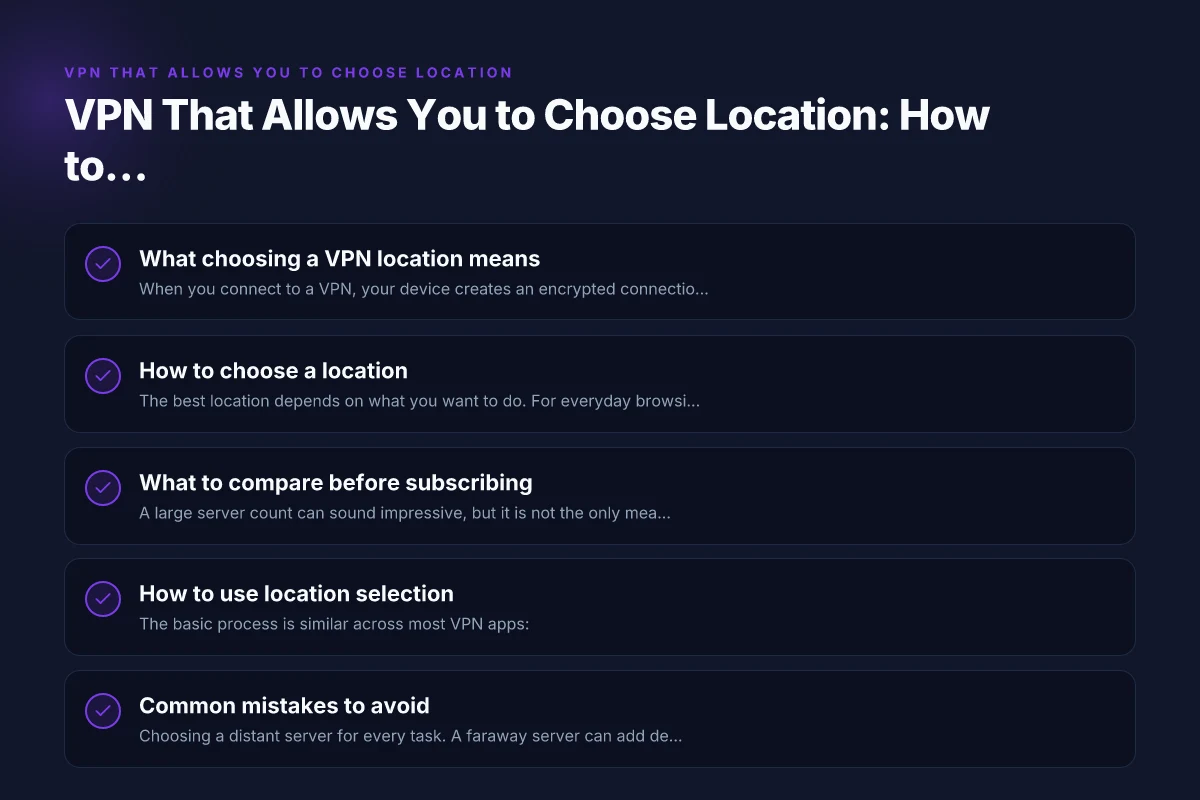
How to choose a location
The best location depends on what you want to do. For everyday browsing, a nearby server is often a sensible starting point because data generally travels a shorter distance. If you need an IP address associated with a particular country, choose a server listed in that country instead. NordVPN Windows 10 VPN: How to Download, Install, and Use It
Match the location to your goal
- For speed: Try a nearby server, then compare results with another nearby option.
- For a country-specific IP: Select a server in the country whose IP location you need.
- For travel: Connect to a server in a country where you want websites to recognize your VPN connection as coming from.
- For privacy on public Wi-Fi: Choose a trusted server with a stable connection. Location is usually less important than the VPN’s security and privacy practices.
- For a particular service: Check the service’s current terms and availability. A VPN location does not guarantee that a website or app will work as expected.
Location selection changes the apparent IP location, not your device’s physical position. Websites may also use GPS, account details, cookies, browser settings, or other signals to estimate where you are. A VPN should not be treated as a way to override every location check.
What to compare before subscribing
A large server count can sound impressive, but it is not the only measure of a useful VPN. Consider whether the provider offers the locations and controls you actually need.
| Feature | What to check | Why it matters |
|---|---|---|
| Country and city coverage | Confirm the specific countries or cities are listed | Coverage varies between providers and plans |
| Location selection | Look for a searchable list, map, or favorites | Makes it easier to connect to the intended server |
| Server information | Check for load, latency, or virtual-location labels | Helps you understand connection options |
| Privacy policy | Review what connection or activity data is collected | A VPN’s claims should be supported by clear terms |
| Security features | Look for modern encryption, a kill switch, and leak protection | Helps reduce the risk of exposure if a connection drops |
| Device support | Confirm compatibility with your phone, computer, or router | Some plans limit simultaneous connections or platforms |
| Price and renewal terms | Review the full billing period, renewal price, and refund rules | Introductory rates may not reflect the ongoing cost |
Do not assume that every location is available on every subscription tier. Check the provider’s current server list and plan details before paying. A free plan may offer only a few locations, impose data or speed limits, or require other trade-offs. Read its privacy policy rather than judging it by price alone.
Compare VPNs before subscribing Extensions for Edge VPN: How to Choose a Safe, Useful Option
| Comparison point | What to look for | Why it matters | Question to ask |
|---|---|---|---|
| Location selection | Country or city choices | Determines where you can connect | Can I choose a specific city? |
| Server coverage | Locations in your needed regions | Supports your intended use | Are servers available where I need them? |
| Connection performance | Stable speeds and low latency | Affects browsing and streaming | Can I test performance before subscribing? |
| Privacy policy | Clear data-handling practices | Helps you assess privacy claims | What connection data is retained? |
| Security features | Current VPN protections | Helps protect traffic in transit | Which security features are included? |
| Device support | Apps for your devices | Makes setup easier | Does it support all my devices? |
| Subscription terms | Price, renewal, and cancellation details | Helps avoid unwanted charges | How do I cancel or get a refund? |
| Customer support | Accessible help options | Useful when setup or connections fail | Is support available when I need it? |
Compiled November 2026; check the provider's site for current details.
How to use location selection
The basic process is similar across most VPN apps:
- Install the provider’s official app and sign in.
- Open the server list or map.
- Search for and select the country or city you want.
- Connect, then check the app’s connection status.
- If needed, use a reputable IP-checking service to see the apparent IP country.
If a connection is slow, try another server in the same country or a nearby location. Restarting the app or changing network can also help. Avoid repeatedly switching locations while making a payment or using a service that may flag unusual sign-ins. Changing IP addresses can trigger security checks.
A VPN’s location choice is not a guarantee of uninterrupted access. Streaming platforms, banks, and other websites may block VPN traffic, restrict content by account or region, or require additional verification. Follow applicable laws and the terms of the services you use. iPhone VPN: How to Set It Up and Choose the Right Option
Common mistakes to avoid
Choosing a distant server for every task. A faraway server can add delay and reduce speed. Use the nearest suitable location unless you have a reason to select another country.
Assuming every server is physically in its listed country. Ask whether the provider uses virtual locations if the actual hardware location is important.
Treating location as the whole privacy story. The VPN provider can handle your traffic while it passes through its servers. Review its logging practices, ownership, security features, and independent assessments where available.
Forgetting other location signals. A VPN changes your public IP route, but apps and browsers may also use GPS permissions, stored cookies, or account information. Review those settings if location privacy is your concern. Forti VPN: What It Is, How It Works, and Whether You Need It
Expecting a specific result from a specific server. Server availability, performance, and website policies can change. If one location does not work, try another server or contact the provider’s support team.
Location-selection checklist and mistakes to avoid
| Step or risk | Better approach | What to verify | Avoid |
|---|---|---|---|
| Pick a location | Match it to your goal | Service availability or proximity | Choosing at random |
| Select a server | Use the location menu in the app | Country and city shown | Assuming every server is in the same place |
| Check the connection | Confirm the VPN is connected | App status and displayed location | Browsing before connection completes |
| Verify your apparent location | Use a reputable IP-location check | Reported country or city | Treating one check as conclusive |
| Choose for speed | Try a nearby server first | Stability and responsiveness | Assuming a farther server will be faster |
| Access a service | Review the service’s rules and availability | Whether VPN use is supported | Assuming access is guaranteed |
| Protect privacy | Read the provider’s policy | Data practices and limitations | Assuming location alone makes you anonymous |
| Troubleshoot | Try another server in the same region | Whether the issue is server-specific | Repeatedly switching without checking the cause |
Compiled November 2026; check the provider's site for current details.
Recommendation
Choose a VPN that lets you select the countries or cities you need, clearly labels virtual locations, and provides reliable apps for your devices. Prioritize a transparent privacy policy, practical security features, and straightforward pricing over a headline server count. Start with a nearby server for general browsing, and select a specific country only when your task calls for it. Fortinet VPN Client: Download, Setup, and Troubleshooting Guide