NordVPN Obfuscated Server: What It Is and How to Use It
Learn what a NordVPN obfuscated server does, when to use it, and how to troubleshoot connection issues.
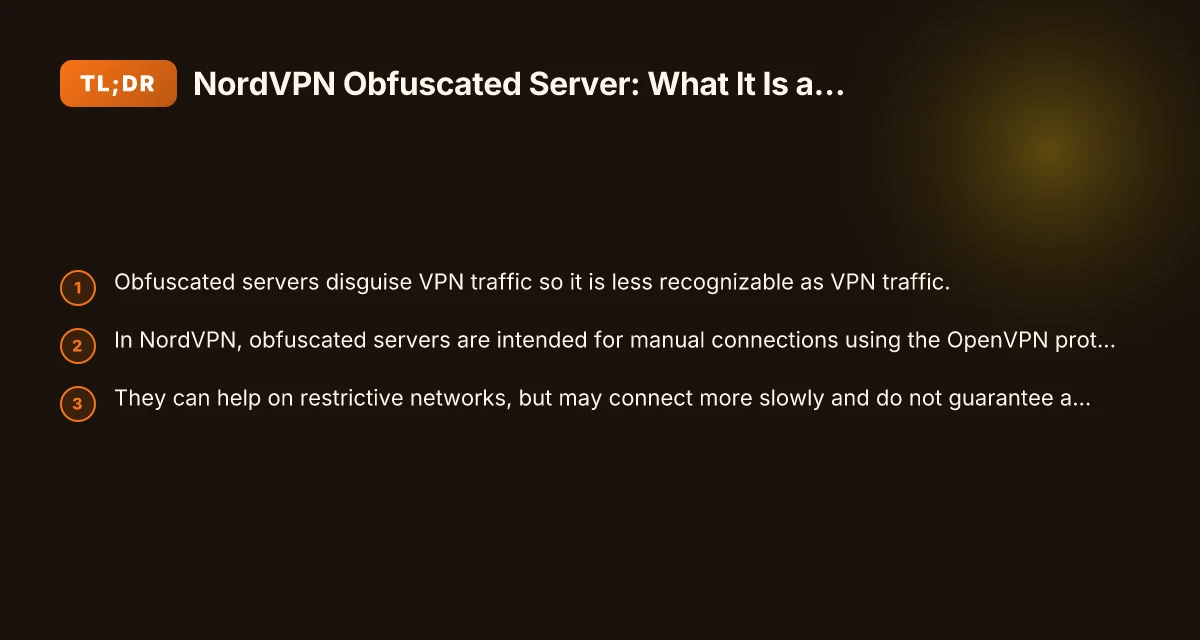
A NordVPN obfuscated server is a VPN server designed to make your connection look less like ordinary VPN traffic. This can help when a network blocks or restricts VPN connections, such as at work, school, or in a country with strict internet controls. In the NordVPN app, obfuscated servers are generally used with OpenVPN, so you may need to switch protocols before the option appears.
How to choose a NordVPN connection
| Option | Obfuscation | Best for | Likely trade-off |
|---|---|---|---|
| Obfuscated server | Yes | Restrictive networks | May connect more slowly |
| Standard VPN server | No | Everyday VPN use | May be blocked on restrictive networks |
| Specialty server | Depends on type | A specific connection need | Availability varies |
| Nearby server | Depends on server | Keeping a connection local | May not bypass VPN blocks |
| Distant server | Depends on server | Connecting through another location | May add latency |
| Automatic server selection | Depends on selection | Convenience | May not choose an obfuscated server |
Compiled November 2026; check the provider's site for current details.
| VPN | Obfuscation | From / month | Plan | Free plan | Refund | Alipay | UnionPay | Crypto | Website opens in China | Trustpilot | |
|---|---|---|---|---|---|---|---|---|---|---|---|
 NordVPN | Turn on manually Obfuscated Servers / NordWhisper | $3.49/mo | 27 months: $94.23 | No | 30 days | ? | ✗ | ✓ | ✓ | ✗ Blocked | 4.2/5 (51,628 reviews) |
 ZoogVPN | Turn on manually Shadow | $2.49/mo | 27 months: $59.99 | Yes | 7 days | ✓ | ✓ | ✓ | ✓ | Official site blocked; our special link opens (4.4 s) | 4.2/5 (195 reviews) |
 ExpressVPN | ✓ On by default all servers | $3.00/mo | 28 months: $84 | No | 30 days | ✗ | ✗ | ✓ | ✗ | ✗ Blocked | 4.4/5 (29,706 reviews) |
 Surfshark | ✓ On by default Camouflage, with OpenVPN | See site | See site | No | 30 days | ✗ | ✗ | ✗ | ✓ | ✗ Blocked | 4.3/5 (31,823 reviews) |
 Proton VPN | Turn on manually Stealth, free plan too | $2.99/mo | 12 months: $35.88 | Yes | 30 days | ✗ | ✗ | ✗ | ✓ | ✗ Blocked | 2.1/5 (1,040 reviews) |
 Astrill VPN | Turn on manually StealthVPN / OpenWeb | $12.50/mo | 24 months: $300 | No | See site | ✗ | ✗ | ✗ | ✓ | ✗ Blocked | 1.3/5 (110 reviews) |
 Private Internet Access | Turn on manually Shadowsocks, OpenVPN only | $2.03/mo | 40 months: $81.2 | No | 30 days | ✗ | ✗ | ✗ | ✗ | ✗ Blocked | 4.2/5 (11,033 reviews) |
 CyberGhost | Turn on manually selected servers | $2.19/mo | 28 months: $61.32 | No | 45 days | ✗ | ✗ | ✗ | ✓ | ✗ Blocked | 4.0/5 (24,178 reviews) |
 PureVPN | Turn on manually switch to OpenVPN | $1.69/mo | 60 months: $101.55 | No | 31 days | ? | ? | ✗ | ✓ | ✗ Blocked | 4.4/5 (17,994 reviews) |
 AdGuard VPN | ✓ On by default TrustTunnel | $2.99/mo | 24 months: $71.76 | Yes | 30 days | ✓ | ✗ | ✓ | ✓ | Official site blocked; our special link opens (3.7 s) | 4.3/5 (290 reviews) |
 Mullvad | Turn on manually QUIC / Shadowsocks / LWO | $5.61/mo | €5/mo | No | 14 days | ✗ | ✗ | ✗ | ✓ | ✗ Blocked | 3.2/5 (192 reviews) |
 Windscribe | Turn on manually Stealth / WStunnel | $5.75/mo | 12 months: $69 | Yes | See site | ✗ | ✗ | ✗ | ✓ | ✗ Blocked | 4.7/5 (13,355 reviews) |
 StrongVPN | Turn on manually Scramble, OpenVPN TCP | See site | See site | No | 30 days | ✓ | ✗ | ✗ | ✗ | ✗ Blocked | 4.4/5 (2,695 reviews) |
 LightXtreme 闪连 | Not listed | $7.08/mo | 12 months: $84.99 | Yes | 30 days | ✓ | ✓ | ✓ | ✓ | ✓ Yes (3.5 s) | No page |
Prices checked 2026-11-10 on each vendor's pricing page (cheapest long plan, USD). Check the vendor's checkout for the final price.
Obfuscation checked 2026-11-14 on each vendor's site and help center: "on by default" = nothing to set; "turn on manually" = switch protocol or mode in settings; "not listed" = the vendor describes no obfuscation.
Payment methods checked 2026-11-10 on each vendor's payment pages: all 14 take cards and PayPal; ✗ = not listed, ? = the vendor's own pages disagree.
China access: whether the official website opens from mainland China networks (tests the website only, not the VPN connection). Last checked 2026-11-18 01:02 Beijing time.
Trustpilot score and review count checked 2026-11-10.
What does an obfuscated server do?
A standard VPN encrypts traffic between your device and the VPN server. Encryption helps protect data in transit, but the connection may still have characteristics that reveal it is using a VPN. Some networks use those signals to block VPN connections.
Obfuscation adds a layer intended to make VPN traffic harder to identify. It does not turn a VPN into an invisible or untraceable connection. Your internet provider or network administrator may still see that you are connected to a server, and websites can still identify you through account activity, cookies, or other signals.
Obfuscation is most useful when the problem is VPN detection or blocking. It is not usually needed for everyday browsing on a network that allows VPN connections.
How to enable NordVPN obfuscated servers
The exact menu names can vary by app version and operating system. In general, follow these steps: Hkmc rndvpn hyundai net: Access, Purpose, and Safe Troubleshooting
- Open the NordVPN app and sign in.
- Open the settings menu.
- Find the VPN connection protocol setting and select OpenVPN, choosing UDP or TCP if the app offers both.
- Return to the main screen and locate the specialty server list.
- Select Obfuscated servers and connect to an available location.
If the option is missing, first check that the app is up to date and that OpenVPN is selected. Some app platforms or connection modes may not show the feature. Check NordVPN’s current platform-specific instructions if the settings differ from these steps.
You can also try a nearby server first. A closer location may provide better speed, although availability and performance vary.
When should you use one?
Try an obfuscated server when a regular NordVPN connection fails or a network appears to block VPN traffic. It may also be useful when you need an additional measure to make VPN use less obvious to basic network filters.
It is not automatically the best choice for every situation. Obfuscation can add processing overhead, and a connection may be slower or less stable than a standard VPN connection. For streaming, gaming, video calls, or large downloads, test the connection before relying on it. Browsec VPN - free VPN for Chrome 3.92.7: What to Know
| Connection type | Best suited for | Possible trade-off |
|---|---|---|
| Standard NordVPN server | Everyday use on networks that permit VPNs | May be blocked by VPN-detection filters |
| Obfuscated server | Networks that restrict or identify VPN traffic | Can be slower or harder to connect to |
| No VPN | Services or networks that require a direct connection | Does not provide VPN encryption or server-location changes |
An obfuscated server does not guarantee that a website, streaming service, or network will allow access. Availability depends on the network, server, app version, and local conditions.
Before you enable an obfuscated server
| Situation | Obfuscation useful? | What to consider | Decision |
|---|---|---|---|
| Network blocks VPN connections | Yes | Obfuscation is designed to disguise VPN traffic | Try an obfuscated server |
| VPN traffic is restricted | Yes | The network may still block connections | Try one if available |
| Public Wi-Fi allows VPNs | Not usually needed | A standard VPN connection may work | Use a standard server |
| Everyday browsing | Not usually needed | Extra obfuscation may be unnecessary | Use a standard server |
| Connection speed matters most | Maybe not | Obfuscation may affect performance | Compare connection quality |
| You want added privacy | Not by itself | Obfuscation does not replace VPN privacy protections | Choose based on network needs |
Compiled November 2026; check the provider's site for current details.
Obfuscated servers and privacy
Obfuscation and encryption address different aspects of a connection. Encryption protects data travelling between your device and the VPN server. Obfuscation aims to make the encrypted connection less recognizable as VPN traffic. IPVanish Login: How to Sign In and Fix Common Problems
Neither feature makes you anonymous by itself. NordVPN’s privacy protections and policies are separate from the way a connection is disguised. For stronger account and device privacy, use unique passwords, enable multifactor authentication where available, keep software updated, and be cautious about sharing identifying information online.
Also consider local laws and the rules of the network you are using. A VPN feature cannot override those rules or guarantee that using a VPN is permitted.
Troubleshooting connection problems
If an obfuscated server will not connect or performs poorly, try these steps:
- Confirm that OpenVPN is selected and reconnect.
- Choose another obfuscated server location.
- Switch between UDP and TCP, if both options are available.
- Restart the app and check for updates.
- Temporarily test a standard server to see whether the issue is specific to obfuscation.
- Check whether another firewall, security app, or network setting is interfering.
If the connection still fails, consult NordVPN support for instructions specific to your device and app version. Avoid changing advanced network settings unless you understand how to restore them. Free VPN: How to Choose One That’s Safe and Useful
Troubleshooting NordVPN obfuscated-server connections
| Problem | Check first | Try next | What to expect |
|---|---|---|---|
| Obfuscated option is unavailable | VPN protocol and app settings | Select a compatible protocol | Availability can depend on configuration |
| Connection will not start | Internet connection | Reconnect to the network | A network issue may be the cause |
| Connection fails on one server | Selected server | Choose another obfuscated server | Server availability can vary |
| VPN is blocked | Whether obfuscation is enabled | Try an obfuscated server | Some networks may still block VPNs |
| Connection is slow | Server location | Try a closer server | Performance may vary |
| Problem continues | App status and settings | Restart or update the app | The issue may require further support |
Compiled November 2026; check the provider's site for current details.
Recommendation
Use a NordVPN obfuscated server when a regular VPN connection is blocked or restricted, and select OpenVPN if the app requires it. For routine browsing on an unrestricted network, start with a standard server. Switch to obfuscation only when you need it, and test speed and reliability before depending on the connection.