OpenVPN Connect: What It Is and How to Get Started

Learn what OpenVPN Connect does, where to download it, and how to use it to access a VPN securely.
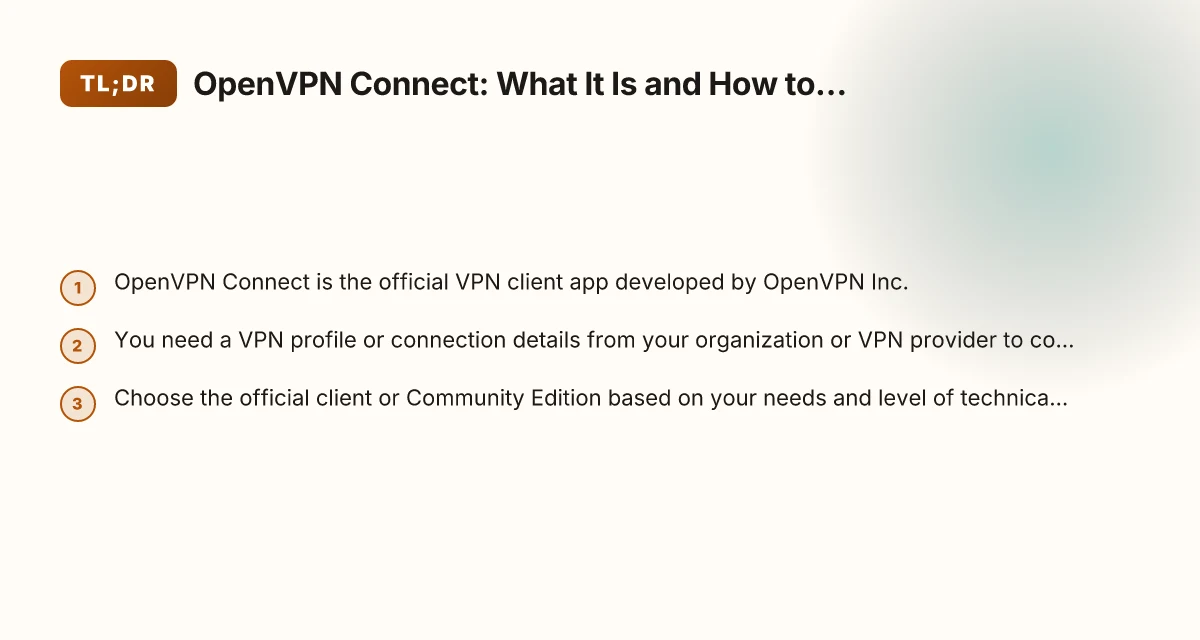
OpenVPN Connect is the official client app for connecting to VPN services that use the OpenVPN protocol. Download it from the official OpenVPN website or your device’s app store, then import a VPN profile supplied by your organization or provider. The app is a connection tool. It does not, by itself, provide a VPN account or access to a particular network.
OpenVPN Connect vs. OpenVPN Community Edition
| Comparison point | OpenVPN Connect | OpenVPN Community Edition |
|---|---|---|
| Type | Official VPN client | Open-source VPN software |
| Main use | Connect to VPN services | Build or connect to VPN setups |
| Typical user | VPN subscribers | Administrators and advanced users |
| Server setup | Not a server product | Can run a VPN server |
| Configuration | Import a connection profile | Configure server or client |
| Platforms | Windows, macOS, iOS, Android | Multiple operating systems |
| Support | OpenVPN Inc. support options | Community resources |
| Best fit | Simple client connection | Flexible self-managed VPN |
Compiled November 2026; check the provider's site for current details.
| VPN | Obfuscation | From / month | Plan | Free plan | Refund | Alipay | UnionPay | Crypto | Website opens in China | Trustpilot | |
|---|---|---|---|---|---|---|---|---|---|---|---|
 ZoogVPN | Turn on manually Shadow | $2.49/mo | 27 months: $59.99 | Yes | 7 days | ✓ | ✓ | ✓ | ✓ | Official site blocked; our special link opens (4.4 s) | 4.2/5 (195 reviews) |
 NordVPN | Turn on manually Obfuscated Servers / NordWhisper | $3.49/mo | 27 months: $94.23 | No | 30 days | ? | ✗ | ✓ | ✓ | ✗ Blocked | 4.2/5 (51,628 reviews) |
 ExpressVPN | ✓ On by default all servers | $3.00/mo | 28 months: $84 | No | 30 days | ✗ | ✗ | ✓ | ✗ | ✗ Blocked | 4.4/5 (29,706 reviews) |
 Surfshark | ✓ On by default Camouflage, with OpenVPN | See site | See site | No | 30 days | ✗ | ✗ | ✗ | ✓ | ✗ Blocked | 4.3/5 (31,823 reviews) |
 Proton VPN | Turn on manually Stealth, free plan too | $2.99/mo | 12 months: $35.88 | Yes | 30 days | ✗ | ✗ | ✗ | ✓ | ✗ Blocked | 2.1/5 (1,040 reviews) |
 Astrill VPN | Turn on manually StealthVPN / OpenWeb | $12.50/mo | 24 months: $300 | No | See site | ✗ | ✗ | ✗ | ✓ | ✗ Blocked | 1.3/5 (110 reviews) |
 Private Internet Access | Turn on manually Shadowsocks, OpenVPN only | $2.03/mo | 40 months: $81.2 | No | 30 days | ✗ | ✗ | ✗ | ✗ | ✗ Blocked | 4.2/5 (11,033 reviews) |
 CyberGhost | Turn on manually selected servers | $2.19/mo | 28 months: $61.32 | No | 45 days | ✗ | ✗ | ✗ | ✓ | ✗ Blocked | 4.0/5 (24,178 reviews) |
 PureVPN | Turn on manually switch to OpenVPN | $1.69/mo | 60 months: $101.55 | No | 31 days | ? | ? | ✗ | ✓ | ✗ Blocked | 4.4/5 (17,994 reviews) |
 AdGuard VPN | ✓ On by default TrustTunnel | $2.99/mo | 24 months: $71.76 | Yes | 30 days | ✓ | ✗ | ✓ | ✓ | Official site blocked; our special link opens (3.7 s) | 4.3/5 (290 reviews) |
 Mullvad | Turn on manually QUIC / Shadowsocks / LWO | $5.61/mo | €5/mo | No | 14 days | ✗ | ✗ | ✗ | ✓ | ✗ Blocked | 3.2/5 (192 reviews) |
 Windscribe | Turn on manually Stealth / WStunnel | $5.75/mo | 12 months: $69 | Yes | See site | ✗ | ✗ | ✗ | ✓ | ✗ Blocked | 4.7/5 (13,355 reviews) |
 StrongVPN | Turn on manually Scramble, OpenVPN TCP | See site | See site | No | 30 days | ✓ | ✗ | ✗ | ✗ | ✗ Blocked | 4.4/5 (2,695 reviews) |
 LightXtreme 闪连 | Not listed | $7.08/mo | 12 months: $84.99 | Yes | 30 days | ✓ | ✓ | ✓ | ✓ | ✓ Yes (3.5 s) | No page |
Prices checked 2026-11-10 on each vendor's pricing page (cheapest long plan, USD). Check the vendor's checkout for the final price.
Obfuscation checked 2026-11-14 on each vendor's site and help center: "on by default" = nothing to set; "turn on manually" = switch protocol or mode in settings; "not listed" = the vendor describes no obfuscation.
Payment methods checked 2026-11-10 on each vendor's payment pages: all 14 take cards and PayPal; ✗ = not listed, ? = the vendor's own pages disagree.
China access: whether the official website opens from mainland China networks (tests the website only, not the VPN connection). Last checked 2026-11-18 01:02 Beijing time.
Trustpilot score and review count checked 2026-11-10.
What is OpenVPN Connect?
Developed and maintained by OpenVPN Inc., the creators of the OpenVPN protocol, OpenVPN Connect lets you establish a secure VPN connection on a supported device. A VPN can provide remote access to internal networks, cloud resources, and private applications, depending on the service and configuration you use.
The app is designed to work with services such as OpenVPN Access Server and CloudConnexa, as well as other OpenVPN-compatible services. To connect, you generally need a profile or configuration details from the administrator or provider managing that service.
Keep in mind that OpenVPN Connect is a client, not a VPN service subscription. Installing the app alone does not give you server access. If you are connecting for work or school, ask your IT administrator for the required profile and instructions.
Where to download OpenVPN Connect
Get the app from an official source so you can install the appropriate version for your device: VPN PES: What It Does and Whether You Need One for eFootball
- Windows and other operating systems: Visit the official OpenVPN Connect download page.
- Windows guidance: The official Windows documentation lists support for Windows 10 (64-bit) and Windows 11 (64-bit).
- Apple devices: Find OpenVPN Connect in the Apple App Store.
- Windows app store: OpenVPN Connect is also listed in the Microsoft Store.
The official OpenVPN Connect user guide provides setup and usage documentation for different devices and connection services. If you are unsure which download to choose, start at the official client page and select your operating system.
How to connect
The exact steps can vary by device and VPN service, but the general process is straightforward:
- Install OpenVPN Connect from an official source.
- Get a VPN profile or connection instructions from your organization or provider. Do not guess at server details. Use the information they supply.
- Import the profile into the app using the option provided for adding a connection.
- Review the connection details and follow any prompts required by the service.
- Connect and check the app’s status to confirm whether the VPN is active.
If the profile requires credentials or other authentication, use the details issued by the service administrator. For help with importing a profile, connecting, or interpreting app settings, consult the OpenVPN Connect user guide or contact the administrator responsible for your VPN.
Ways to get an OpenVPN Connect profile Urban VPN Edge: How to Install, Use, and Evaluate the Extension
| Option | What you need | Setup effort | Best for |
|---|---|---|---|
| VPN provider | Provider account | Low | Connecting to a commercial VPN |
| Workplace VPN | Employer-issued profile | Low | Remote work |
| School VPN | Institution-issued profile | Low | Accessing campus resources |
| OpenVPN Access Server | Server access and profile | Moderate | Organization-managed VPN |
| Community Edition server | Server configuration | High | Self-managed VPN setup |
| Existing profile file | Valid `.ovpn` file | Low | Reusing a supplied configuration |
Compiled November 2026; check the provider's site for current details.
OpenVPN Connect and Community Edition compared
OpenVPN offers both the Connect client and OpenVPN Community Edition. They are related to the OpenVPN protocol, but they are not interchangeable products: Connect is an app for using a VPN connection, while Community Edition is open-source VPN software.
| Option | What it is | Best suited to |
|---|---|---|
| OpenVPN Connect | Official client app for connecting to OpenVPN-based services | People who have a VPN profile from an organization or provider |
| OpenVPN Community Edition | Free, open-source OpenVPN software with source code and community support | Users who need the open-source software and are comfortable with its setup |
Community Edition is available for Windows, Linux, macOS, and Android, according to OpenVPN’s download information. Choose it when you specifically need the open-source edition and are prepared to follow its documentation. For a guided client-app experience with a profile provided by an administrator, OpenVPN Connect is generally the more direct choice.
Common questions and troubleshooting
Does OpenVPN Connect include a VPN?
No. The app connects to a VPN service, but you still need access to a compatible server or service. Obtain a profile and any required credentials from your organization or provider. FortiClient VPN Download: Official Options and Installation Guide
What if I do not have a profile?
Contact the person or service that manages your VPN. Without the correct connection information, the app cannot know which server or network you are trying to reach.
Why can’t I connect?
Start by checking that you have imported the latest profile and entered the required authentication details correctly. Also confirm that your device has an internet connection. If the issue continues, your organization’s VPN administrator can check access and configuration. The official user guide can help with app-specific steps.
Is OpenVPN Connect the same as the OpenVPN protocol?
No. The OpenVPN protocol is the technology used by compatible VPN connections. OpenVPN Connect is an official app that acts as a client for connecting to those services.
Troubleshooting connection problems Best Free VPN to Change Location: Safe, Practical Options
| Symptom | Check first | Possible next step | When to contact support |
|---|---|---|---|
| Profile will not import | File format and integrity | Request a fresh profile | File remains invalid |
| Login is rejected | Username and password | Reset credentials | Correct credentials still fail |
| Connection times out | Internet access | Try another network | Multiple networks fail |
| Server is unreachable | Server address and status | Confirm details with provider | Server details appear correct |
| Connection succeeds but sites fail | DNS or routing settings | Reconnect or check profile | Problem persists across sites |
| App cannot connect | App and device updates | Restart the app and device | Error continues after updates |
| Unexpected VPN prompt | Profile source | Verify it with the provider | Source cannot be confirmed |
Compiled November 2026; check the provider's site for current details.
Recommendation
Download OpenVPN Connect from OpenVPN’s official client page or your device’s official app store, and use the profile supplied by your VPN administrator or provider. Choose Community Edition instead only if you specifically need the open-source software and its setup model.