What Is a Proxy Server? How It Works, Types, and When to Use One
Learn what a proxy server does, how it handles web requests, and when its privacy, access, or security benefits are useful.
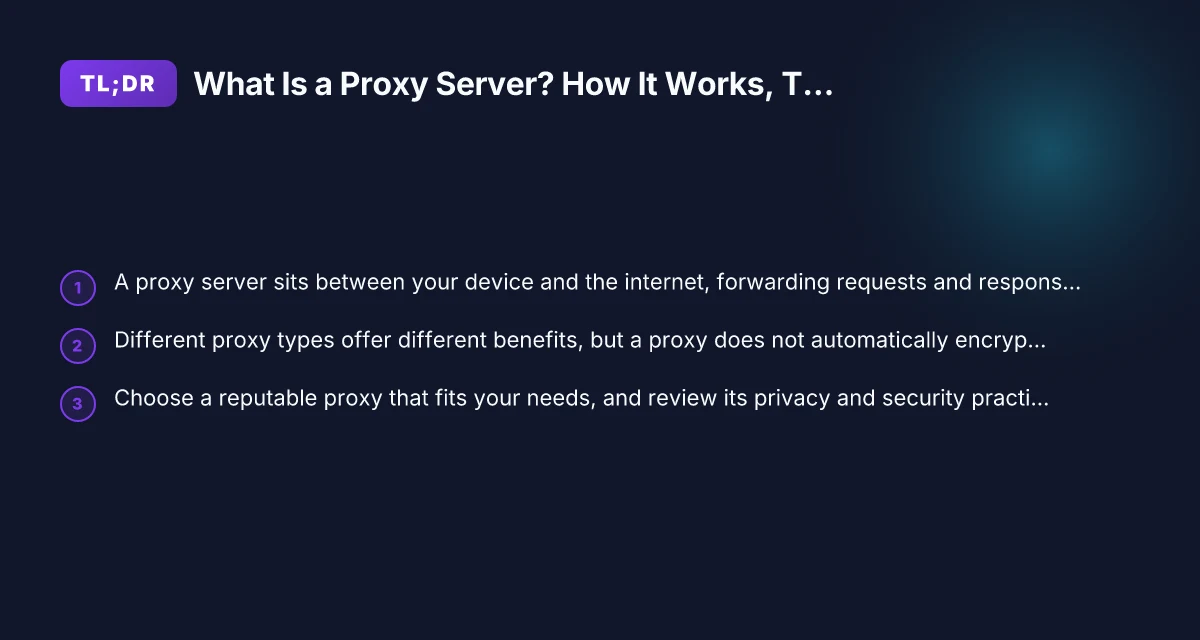
A proxy server is an intermediary between your device and the internet. Instead of connecting directly to a website, your device sends its request to the proxy, which forwards it and returns the website’s response. Depending on its type and configuration, a proxy can help manage internet access, filter traffic, cache content, or make a request appear to come from a different IP address.
Compare common proxy server types
| Proxy type | How it works | Typical use | Main advantage | Main limitation |
|---|---|---|---|---|
| Forward proxy | Sits between a user and the internet | Personal or workplace browsing | Can filter or route requests | The proxy operator may see traffic details |
| Reverse proxy | Sits in front of web servers | Websites and web applications | Can distribute incoming requests | Requires server-side setup |
| Transparent proxy | Intercepts traffic without requiring user settings | Network filtering and caching | Easy to deploy on managed networks | Users may not control or notice it |
| Anonymous proxy | Hides the user’s IP address from destination sites | Basic privacy | Masks the user’s address | May identify itself as a proxy |
| High-anonymity proxy | Hides the user’s IP and proxy use | More private browsing | Conceals proxy use from destinations | Trust still depends on the provider |
| Residential proxy | Routes traffic through residential IP addresses | Location-specific access and testing | Traffic resembles household connections | Provider practices and consent matter |
| Datacenter proxy | Uses IP addresses from data centers | High-volume tasks and testing | Often fast and readily available | Easier for sites to recognize and block |
| SOCKS proxy | Relays different kinds of network traffic | Apps that support SOCKS | Works with varied traffic types | Does not inherently encrypt traffic |
Compiled November 2026; check the provider's site for current details.
How a proxy server works
When you visit a website without a proxy, your device sends a request to the site’s server. The site may see your device’s public IP address, which can provide an approximate indication of your network or location.
With a proxy, the process takes an extra step:
- Your device sends a request to the proxy server.
- The proxy receives and forwards the request to the destination.
- The destination sends its response to the proxy.
- The proxy passes the response back to your device.
The website generally sees the proxy’s IP address rather than your device’s, although the details depend on the proxy and how it is configured. A proxy may also inspect, filter, or log traffic. That means the proxy provider can potentially see information about your requests, so choosing a trustworthy service matters.
Common types of proxy servers
“Proxy server” is a broad term. Different proxies serve different users and purposes. Free VPN Extension for Microsoft Edge: What to Know Before You Install
- Forward proxy: Sits between a user or organization and the internet. Businesses often use one to enforce browsing rules or control access.
- Reverse proxy: Sits in front of one or more web servers. Website operators use it to distribute traffic, improve performance, or add a layer of protection.
- Transparent proxy: Intercepts or handles requests without requiring users to configure their devices in the usual way. It is commonly used on managed networks.
- Residential proxy: Routes requests through IP addresses associated with residential internet connections. Its characteristics and reliability depend on how the addresses are sourced and managed.
- Datacenter proxy: Uses IP addresses associated with data centers. It can offer fast connections, though some websites may identify and restrict this type of traffic.
- Anonymous proxy: Is configured to conceal some information about the user’s connection. The degree of privacy varies, and the name does not guarantee complete anonymity.
Some proxies handle specific traffic, such as web browsing, while others can be configured for broader network use. Check which applications and connection types a service supports before relying on it.
Proxy servers compared with VPNs
A proxy and a virtual private network (VPN) can both route traffic through another server, but they are not interchangeable. A proxy may handle only a particular application or type of traffic. A VPN typically creates an encrypted connection between your device and the VPN provider, routing supported device traffic through that connection.
| Feature | Proxy server | VPN |
|---|---|---|
| Routes traffic through another server | Yes | Yes |
| Encrypts the connection by default | Not necessarily | Typically encrypts the device-to-provider connection |
| Scope | Often one app or traffic type | Usually broader device or network traffic |
| Common uses | Filtering, caching, access management, IP routing | Protecting traffic on untrusted networks, private network access, IP routing |
| Privacy depends on | Proxy configuration and provider | VPN configuration and provider |
Neither option guarantees anonymity. A VPN provider may see connection details, and a proxy may log requests. Encryption, privacy protections, and the information visible to a provider depend on the specific service and setup.
Proxy servers compared with VPNs GlobalProtect VPN Not Connecting: Causes and Fixes
| Comparison point | Proxy server | VPN |
|---|---|---|
| Traffic coverage | Often one app or configured traffic | Usually device-wide or app-wide |
| IP address masking | Supported | Supported |
| Traffic encryption | Not inherent; depends on setup | Usually encrypts the VPN tunnel |
| Setup | Often configured per app or browser | Usually requires a VPN app or system settings |
| Typical use | Routing, filtering, or accessing a service | Protecting traffic across networks |
| Provider visibility | Provider may see routed traffic | VPN provider may see traffic metadata |
| Protection on public Wi-Fi | Limited unless traffic is separately encrypted | Tunnel helps protect traffic in transit |
| Best fit | A specific routing or access need | Broader connection privacy and security |
Compiled November 2026; check the provider's site for current details.
Benefits and limitations
A proxy can be useful when you need to:
- Manage access: Organizations can restrict certain sites or apply browsing policies.
- Improve performance: A caching proxy may store frequently requested content and serve it more quickly.
- Route requests through another address: This can be useful for testing how a service responds to requests from different networks.
- Add a layer of control: Administrators may monitor or filter traffic on managed networks.
- Reach permitted resources: A proxy may provide access through a network with specific routing or access rules.
There are important limitations. A proxy can slow down a connection, become unavailable, or fail to work with particular websites and applications. Free or poorly managed services may collect data, inject unwanted content, or expose users to security risks. And while a proxy can change the IP address a destination sees, it does not necessarily encrypt traffic or hide other identifying information, such as account logins or browser data.
Choosing and using a proxy safely
Start by identifying what you need the proxy to do: filter workplace traffic, cache content, test a website, or route a particular application’s requests. Then check whether the proxy supports the relevant protocols and devices. WatchGuard SSLVPN: Setup, Security, and Troubleshooting
Before using a provider, review:
- Its privacy policy and data-retention practices
- Whether connections are encrypted, and which traffic is covered
- How it handles security incidents and account information
- Its reputation, ownership, and customer support
- Any restrictions on acceptable use
Avoid entering sensitive information through a proxy you do not trust. For online banking, shopping, or other confidential activity, use a secure connection and verify the website’s address and connection security. A proxy provider may still be able to observe some traffic, especially when it is not encrypted end to end.
Choose and use a proxy safely
| Decision factor | What to check | Safer choice | Warning sign |
|---|---|---|---|
| Purpose | Identify the app, site, or task | Use a proxy suited to that task | Choosing one without a clear need |
| Provider | Review ownership and reputation | Transparent provider with clear contact details | Unknown operator with no accountability |
| Logging | Read the privacy and retention policy | Clear limits on collection and storage | Vague or missing logging details |
| Encryption | Check whether the connection is encrypted | Use HTTPS and encrypted proxy connections where available | Assuming a proxy encrypts everything |
| Permissions | Review app and browser access requested | Grant only what is necessary | Requests unrelated to proxy use |
| IP source | Check how addresses are obtained | Provider explains sourcing and consent | Unclear residential IP sourcing |
| Testing | Confirm expected behavior before relying on it | Test with non-sensitive traffic | Sending credentials before verification |
| Compliance | Check site rules and local requirements | Follow applicable laws and service terms | Using a proxy to evade restrictions |
Compiled November 2026; check the provider's site for current details. NordVPN Windows VPN: Setup, Features, and How to Choose
Recommendation
A proxy server is best understood as a traffic intermediary, not an all-purpose privacy shield. Use one when its specific features, such as filtering, caching, or routing, match your needs. Choose a reputable provider, understand what traffic it can see, and use a VPN or other security measures when you need broader encrypted protection.