how to fix virgin tv go app not working with VPN(2026)
Troubleshoot Virgin TV Go VPN errors with practical checks for your connection, app, device, and account.
If Virgin TV Go is not working with a VPN, disconnect the VPN and try again. If the app works without it, the VPN connection may be affecting location verification or triggering a service restriction. If it still fails, troubleshoot the app, device, account, and internet connection instead. Follow the checks below in order, and avoid trying to conceal your location or bypass Virgin Media’s access rules.
Quick checks to identify whether the VPN is causing Virgin TV Go to fail
| Check | What to try | If it works | If it does not |
|---|---|---|---|
| Compare with VPN off | Open Virgin TV Go without the VPN | VPN may be involved | Check other causes |
| Try another VPN server | Connect to a different server | The original server may be blocked | Try a non-VPN connection |
| Try another network | Switch between Wi-Fi and mobile data | Network settings may be involved | Check the app or account |
| Check VPN connection | Confirm the VPN says connected | Connection is active | Reconnect or choose another server |
| Check app access | See whether other apps load | Internet access is available | Troubleshoot the connection |
| Check programme access | Try a different programme | Issue may be programme-specific | Check the account or app |
| Compare devices | Sign in on another supported device | Issue may be device-specific | Check service or account status |
Compiled November 2026; check the provider's site for current details.
| VPN | Obfuscation | From / month | Plan | Free plan | Refund | Alipay | UnionPay | Crypto | Website opens in China | Trustpilot | |
|---|---|---|---|---|---|---|---|---|---|---|---|
 ZoogVPN | Turn on manually Shadow | $2.49/mo | 27 months: $59.99 | Yes | 7 days | ✓ | ✓ | ✓ | ✓ | Official site blocked; our special link opens (4.4 s) | 4.2/5 (195 reviews) |
 NordVPN | Turn on manually Obfuscated Servers / NordWhisper | $3.49/mo | 27 months: $94.23 | No | 30 days | ? | ✗ | ✓ | ✓ | ✗ Blocked | 4.2/5 (51,628 reviews) |
 ExpressVPN | ✓ On by default all servers | $3.00/mo | 28 months: $84 | No | 30 days | ✗ | ✗ | ✓ | ✗ | ✗ Blocked | 4.4/5 (29,706 reviews) |
 Surfshark | ✓ On by default Camouflage, with OpenVPN | See site | See site | No | 30 days | ✗ | ✗ | ✗ | ✓ | ✗ Blocked | 4.3/5 (31,823 reviews) |
 Proton VPN | Turn on manually Stealth, free plan too | $2.99/mo | 12 months: $35.88 | Yes | 30 days | ✗ | ✗ | ✗ | ✓ | ✗ Blocked | 2.1/5 (1,040 reviews) |
 Astrill VPN | Turn on manually StealthVPN / OpenWeb | $12.50/mo | 24 months: $300 | No | See site | ✗ | ✗ | ✗ | ✓ | ✗ Blocked | 1.3/5 (110 reviews) |
 Private Internet Access | Turn on manually Shadowsocks, OpenVPN only | $2.03/mo | 40 months: $81.2 | No | 30 days | ✗ | ✗ | ✗ | ✗ | ✗ Blocked | 4.2/5 (11,033 reviews) |
 CyberGhost | Turn on manually selected servers | $2.19/mo | 28 months: $61.32 | No | 45 days | ✗ | ✗ | ✗ | ✓ | ✗ Blocked | 4.0/5 (24,178 reviews) |
 PureVPN | Turn on manually switch to OpenVPN | $1.69/mo | 60 months: $101.55 | No | 31 days | ? | ? | ✗ | ✓ | ✗ Blocked | 4.4/5 (17,994 reviews) |
 AdGuard VPN | ✓ On by default TrustTunnel | $2.99/mo | 24 months: $71.76 | Yes | 30 days | ✓ | ✗ | ✓ | ✓ | Official site blocked; our special link opens (3.7 s) | 4.3/5 (290 reviews) |
 Mullvad | Turn on manually QUIC / Shadowsocks / LWO | $5.61/mo | €5/mo | No | 14 days | ✗ | ✗ | ✗ | ✓ | ✗ Blocked | 3.2/5 (192 reviews) |
 Windscribe | Turn on manually Stealth / WStunnel | $5.75/mo | 12 months: $69 | Yes | See site | ✗ | ✗ | ✗ | ✓ | ✗ Blocked | 4.7/5 (13,355 reviews) |
 StrongVPN | Turn on manually Scramble, OpenVPN TCP | See site | See site | No | 30 days | ✓ | ✗ | ✗ | ✗ | ✗ Blocked | 4.4/5 (2,695 reviews) |
 LightXtreme 闪连 | Not listed | $7.08/mo | 12 months: $84.99 | Yes | 30 days | ✓ | ✓ | ✓ | ✓ | ✓ Yes (3.5 s) | No page |
Prices checked 2026-11-10 on each vendor's pricing page (cheapest long plan, USD). Check the vendor's checkout for the final price.
Obfuscation checked 2026-11-14 on each vendor's site and help center: "on by default" = nothing to set; "turn on manually" = switch protocol or mode in settings; "not listed" = the vendor describes no obfuscation.
Payment methods checked 2026-11-10 on each vendor's payment pages: all 14 take cards and PayPal; ✗ = not listed, ? = the vendor's own pages disagree.
China access: whether the official website opens from mainland China networks (tests the website only, not the VPN connection). Last checked 2026-11-18 01:02 Beijing time.
Trustpilot score and review count checked 2026-11-10.
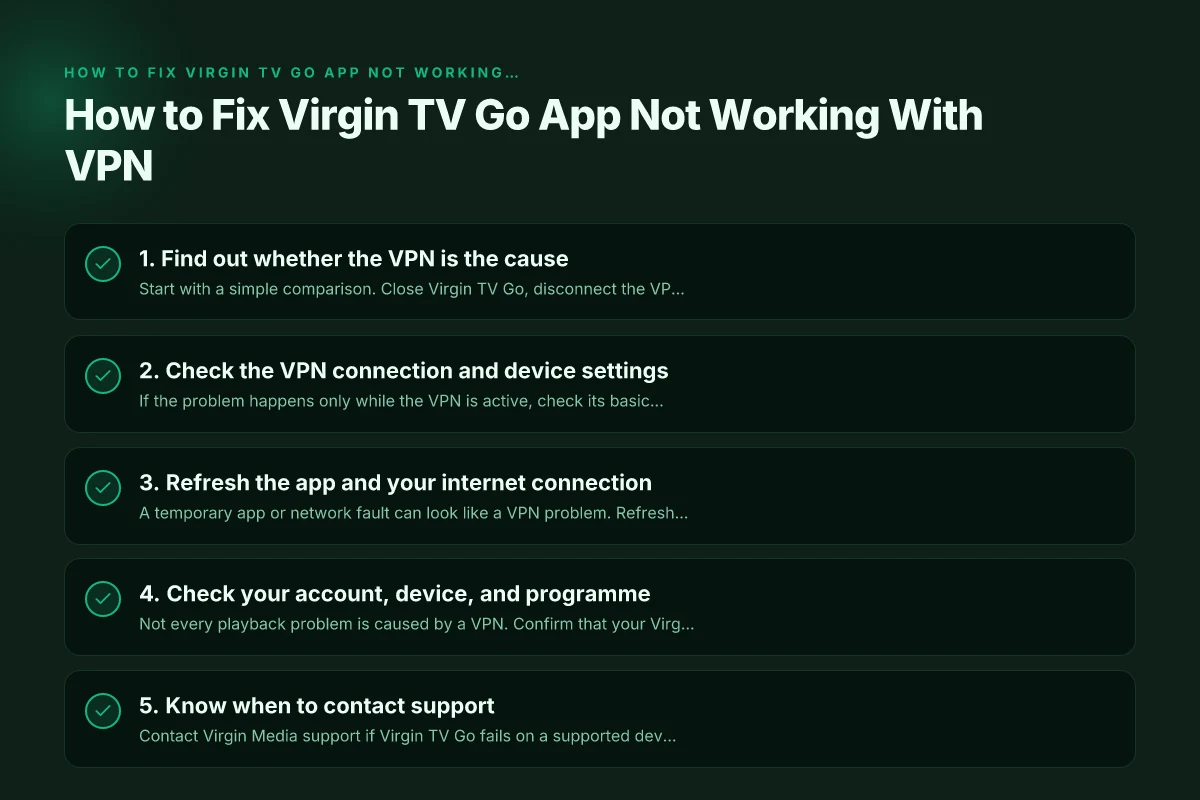
1. Find out whether the VPN is the cause
Start with a simple comparison. Close Virgin TV Go, disconnect the VPN, reopen the app, and try the same programme. Then reconnect the VPN and test again. This helps separate a VPN-related issue from a general app or network problem.
Check the exact error message, too. A location warning points to a different issue than a login error, playback failure, or message saying that a programme is unavailable.
| What happens | Likely area to check |
|---|---|
| The app works without the VPN but fails with it | VPN connection or location verification |
| The app fails with and without the VPN | App, device, account, or internet connection |
| Sign-in works but a programme will not play | Playback permissions, programme availability, or app error |
| The error appears only on one device | Device settings, app installation, or compatibility |
Virgin TV Go availability can depend on your location, subscription, device, and the content you are trying to watch. A VPN may make your apparent location differ from your actual one, which can prevent the service from confirming eligibility.
2. Check the VPN connection and device settings
If the problem happens only while the VPN is active, check its basic settings. Do not assume that changing locations will solve the issue: doing so may conflict with service restrictions and can make location checks less reliable. bsnl VPN .oVPN file(2026)
Try these steps:
- Disconnect and reconnect the VPN, then reopen Virgin TV Go.
- Check that the VPN app is up to date and shows a stable connection.
- Restart your device and router if the connection seems unreliable.
- Confirm that your device’s date, time, and time zone are set automatically.
- Check whether your VPN has a network filter or security feature that is interfering with the app.
For a clear diagnostic, test Virgin TV Go on your normal internet connection without a VPN. If the service is available to you there, use that connection rather than attempting to get around a location restriction. If you are travelling or using a VPN for privacy, consult Virgin Media’s current guidance or contact support to confirm what access is permitted.
3. Refresh the app and your internet connection
A temporary app or network fault can look like a VPN problem. Refresh the basics before changing more settings.
- Force-close Virgin TV Go and open it again.
- Check for app and operating-system updates.
- Restart your device.
- Test another app or website to confirm that your internet connection is working.
- If possible, try a different network you are authorised to use, such as your home Wi-Fi or mobile data.
- Sign out of Virgin TV Go and sign back in.
If only one Wi-Fi network causes trouble, restart the router and check whether it has a parental-control, firewall, or filtering feature that could be blocking the service. Avoid changing router security settings unless you understand their effect. total VPN on fire stick(2026)
On Android, clearing the app cache may help. Menu names vary, but you can usually find the option under Settings, Apps, Virgin TV Go, and Storage. On iPhone and iPad, there may not be a separate cache-clearing option. Updating or reinstalling the app is often the more practical reset.
Which troubleshooting step to try next
| Symptom | First step | Next step | What it may indicate |
|---|---|---|---|
| VPN will not connect | Reconnect to the VPN | Try another server | VPN connection issue |
| App will not open | Close and reopen the app | Restart the device | Temporary app or device issue |
| App opens but will not play | Refresh the internet connection | Try another programme | Network or programme issue |
| Works without VPN | Compare VPN servers | Check VPN settings | VPN route may be blocked |
| Works on mobile data | Reconnect to Wi-Fi | Check network settings | Wi-Fi connection may be involved |
| Fails on one device | Check device settings | Try another device | Device-specific issue |
| Fails across devices | Check account and service access | Contact support if unresolved | Account or wider service issue |
Compiled November 2026; check the provider's site for current details.
4. Check your account, device, and programme
Not every playback problem is caused by a VPN. Confirm that your Virgin Media account is active, that you are signing in with the correct details, and that your subscription includes the content you are trying to watch. Some programmes may be unavailable because of rights, scheduling, or other service limits. axgate VPN client download(2026)
Also check that:
- Your device and operating system meet the app’s current requirements.
- You have not reached a device or stream limit shown in your account or service terms.
- The programme is available through Virgin TV Go on your device.
- The app has permission to use the network and is not restricted by a device setting.
- Any error code is recorded before you contact support.
If the app works on another supported device using the same connection, the original device is a stronger suspect. Update or reinstall Virgin TV Go, then sign in again. Before reinstalling, make sure you know your login details.
5. Know when to contact support
Contact Virgin Media support if Virgin TV Go fails on a supported device both with and without a VPN, or if you cannot resolve a sign-in, subscription, or playback error. Tell support what you have already tested and provide the exact error message.
If the issue occurs only while a VPN is connected, ask Virgin Media whether use in your circumstances is supported. You can also contact your VPN provider about connection stability, but it cannot confirm your Virgin TV Go account eligibility or change Virgin Media’s access rules. best free VPN for edge(2026)
When reporting the problem, include:
- Your device model and operating-system version
- The Virgin TV Go app version
- Whether the app works with the VPN disconnected
- Your connection type, such as Wi-Fi or mobile data
- The time the error occurred and any displayed error code
Choose the right next step for your situation
| Situation | Check first | Recommended action | When to escalate |
|---|---|---|---|
| Playback works with VPN off | VPN server | Try another server or connection | If no VPN option works |
| VPN shows disconnected | VPN connection | Reconnect and verify status | If it still will not connect |
| App is unresponsive | App and device | Close and reopen, then restart | If the issue persists |
| Internet is unreliable | Network connection | Refresh the connection or switch networks | If other apps also fail |
| Only one programme fails | Programme availability | Try another programme | If access remains unclear |
| Only one device fails | Device settings | Check settings and test another device | If the device still cannot play |
| Account access is uncertain | Account details | Confirm the account can access the service | Contact Virgin Media support |
| Checks do not resolve the issue | Results of troubleshooting | Note the device, network, and steps tried | Contact Virgin Media or VPN support |
Compiled November 2026; check the provider's site for current details.
Recommendation
The quickest, safest fix is to disconnect the VPN and test Virgin TV Go on your regular connection. If that resolves the problem, use the service only in a way permitted by Virgin Media’s terms and location requirements. If it does not, update and restart the app, verify your account and connection, and contact Virgin Media with the error details. microsoft edge VPN extension(2026)