Urban VPN Proxy: What It Does, How to Use It, and What to Consider
Learn how Urban VPN Proxy works, what it offers across devices, and how to assess its privacy and security before using it.
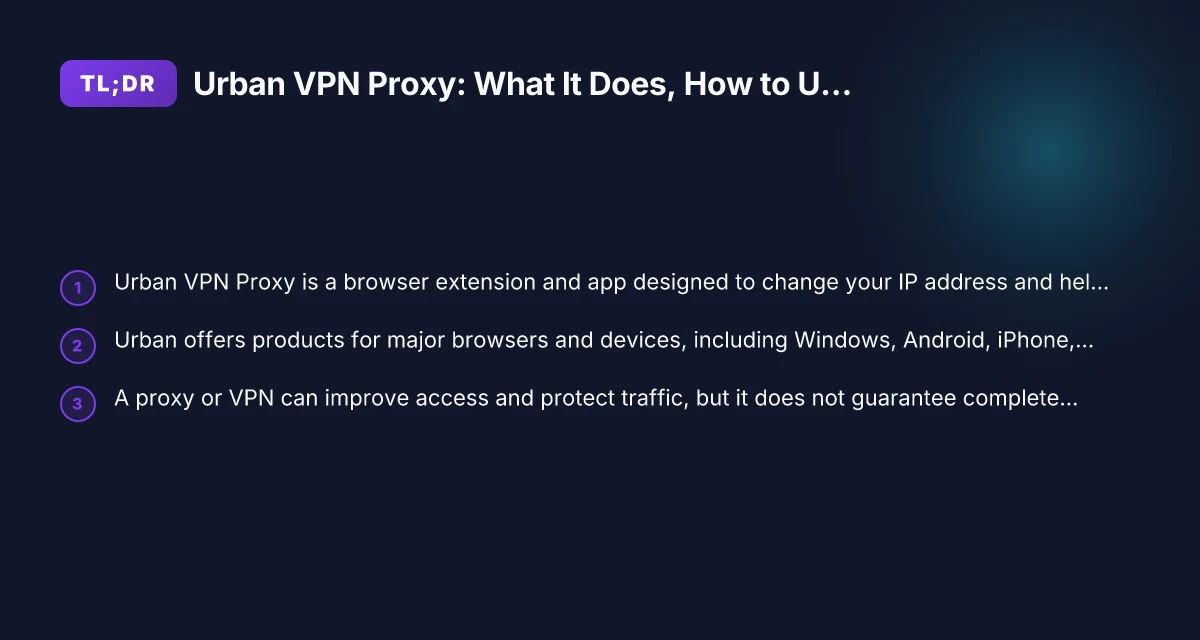
Urban VPN Proxy is a free service that can change your apparent IP address and help you access websites that are restricted in your location. It is available as a browser extension and through apps for several devices. Urban also describes its browser extension as offering protection against phishing attempts, malware, and intrusive ads. As with any VPN or proxy, it is important to understand what the service can and cannot protect before relying on it.
Compare Urban VPN Proxy with common VPN alternatives
| Option | Cost | Device support | Streaming access | Privacy approach | Best for |
|---|---|---|---|---|---|
| Urban VPN Proxy | Free | Desktop and mobile | May vary | Review policy carefully | Basic, no-cost use |
| Paid VPN service | Subscription | Usually broad | Often supported | Provider-dependent | Regular use |
| Browser proxy extension | Often free | One browser | Limited | Extension-dependent | Browser-only browsing |
| Built-in browser VPN | Often included | One browser | Limited | Browser-provider-dependent | Simple browser privacy |
| Tor Browser | Free | Desktop and mobile | Not its main purpose | Routes traffic through relays | Anonymity-focused browsing |
| Public Wi-Fi without VPN | Free | Most devices | Network-dependent | No VPN protection | Low-risk browsing |
Compiled November 2026; check the provider's site for current details.
| VPN | Obfuscation | From / month | Plan | Free plan | Refund | Alipay | UnionPay | Crypto | Website opens in China | Trustpilot | |
|---|---|---|---|---|---|---|---|---|---|---|---|
 ZoogVPN | Turn on manually Shadow | $2.49/mo | 27 months: $59.99 | Yes | 7 days | ✓ | ✓ | ✓ | ✓ | Official site blocked; our special link opens (4.4 s) | 4.2/5 (195 reviews) |
 NordVPN | Turn on manually Obfuscated Servers / NordWhisper | $3.49/mo | 27 months: $94.23 | No | 30 days | ? | ✗ | ✓ | ✓ | ✗ Blocked | 4.2/5 (51,628 reviews) |
 ExpressVPN | ✓ On by default all servers | $3.00/mo | 28 months: $84 | No | 30 days | ✗ | ✗ | ✓ | ✗ | ✗ Blocked | 4.4/5 (29,706 reviews) |
 Surfshark | ✓ On by default Camouflage, with OpenVPN | See site | See site | No | 30 days | ✗ | ✗ | ✗ | ✓ | ✗ Blocked | 4.3/5 (31,823 reviews) |
 Proton VPN | Turn on manually Stealth, free plan too | $2.99/mo | 12 months: $35.88 | Yes | 30 days | ✗ | ✗ | ✗ | ✓ | ✗ Blocked | 2.1/5 (1,040 reviews) |
 Astrill VPN | Turn on manually StealthVPN / OpenWeb | $12.50/mo | 24 months: $300 | No | See site | ✗ | ✗ | ✗ | ✓ | ✗ Blocked | 1.3/5 (110 reviews) |
 Private Internet Access | Turn on manually Shadowsocks, OpenVPN only | $2.03/mo | 40 months: $81.2 | No | 30 days | ✗ | ✗ | ✗ | ✗ | ✗ Blocked | 4.2/5 (11,033 reviews) |
 CyberGhost | Turn on manually selected servers | $2.19/mo | 28 months: $61.32 | No | 45 days | ✗ | ✗ | ✗ | ✓ | ✗ Blocked | 4.0/5 (24,178 reviews) |
 PureVPN | Turn on manually switch to OpenVPN | $1.69/mo | 60 months: $101.55 | No | 31 days | ? | ? | ✗ | ✓ | ✗ Blocked | 4.4/5 (17,994 reviews) |
 AdGuard VPN | ✓ On by default TrustTunnel | $2.99/mo | 24 months: $71.76 | Yes | 30 days | ✓ | ✗ | ✓ | ✓ | Official site blocked; our special link opens (3.7 s) | 4.3/5 (290 reviews) |
 Mullvad | Turn on manually QUIC / Shadowsocks / LWO | $5.61/mo | €5/mo | No | 14 days | ✗ | ✗ | ✗ | ✓ | ✗ Blocked | 3.2/5 (192 reviews) |
 Windscribe | Turn on manually Stealth / WStunnel | $5.75/mo | 12 months: $69 | Yes | See site | ✗ | ✗ | ✗ | ✓ | ✗ Blocked | 4.7/5 (13,355 reviews) |
 StrongVPN | Turn on manually Scramble, OpenVPN TCP | See site | See site | No | 30 days | ✓ | ✗ | ✗ | ✗ | ✗ Blocked | 4.4/5 (2,695 reviews) |
 LightXtreme 闪连 | Not listed | $7.08/mo | 12 months: $84.99 | Yes | 30 days | ✓ | ✓ | ✓ | ✓ | ✓ Yes (3.5 s) | No page |
Prices checked 2026-11-10 on each vendor's pricing page (cheapest long plan, USD). Check the vendor's checkout for the final price.
Obfuscation checked 2026-11-14 on each vendor's site and help center: "on by default" = nothing to set; "turn on manually" = switch protocol or mode in settings; "not listed" = the vendor describes no obfuscation.
Payment methods checked 2026-11-10 on each vendor's payment pages: all 14 take cards and PayPal; ✗ = not listed, ? = the vendor's own pages disagree.
China access: whether the official website opens from mainland China networks (tests the website only, not the VPN connection). Last checked 2026-11-18 01:02 Beijing time.
Trustpilot score and review count checked 2026-11-10.
What is Urban VPN Proxy?
Urban VPN Proxy is a VPN and proxy service from Urban VPN. Its browser extension routes browser traffic through a selected server, making websites see the server’s IP address rather than your regular one. This can help with accessing geo-restricted content and changing your apparent location.
Urban’s listings describe free access to VPN servers and website-unblocking features. The Chrome Web Store listing promotes access to websites, while Urban’s own proxy page highlights changing your IP address and reaching geo-restricted sites.
A proxy is not automatically the same as a full-device VPN. Depending on the product and its settings, a browser extension may route only browser traffic. Other apps on your device could continue using your regular connection. Check the specific product’s coverage rather than assuming all internet activity is protected.
What can it do?
Urban VPN Proxy is primarily useful for changing the IP address websites see and trying to access content that is unavailable from your current region. Urban also presents its extension as a way to add browsing safeguards. How to Configure a Windows 11 VPN IPsec Client to Replace FortiClient
Potential uses include:
- Accessing geo-restricted websites: Connecting through another location may make some sites available, although results vary.
- Changing your apparent IP address: Websites may see the VPN server’s address instead of your usual one.
- Adding a layer of protection on public Wi-Fi: A VPN can encrypt routed traffic between your device and the VPN server, depending on the product and connection.
- Reducing exposure to some online threats: Urban says its browser extension helps shield browsing from phishing attempts, malware, and intrusive ads.
These features should not be treated as guarantees. A VPN cannot make every website safe, remove all tracking, or protect you from every kind of malware or scam. Your account activity, cookies, browser fingerprint, and information you provide to a site can still identify you.
Which devices does Urban support?
Urban’s products are available across browser and device platforms. The details differ by product, so confirm that the version you install matches how you want to use the service.
| Option | Where it works | What the listing describes |
|---|---|---|
| Chrome extension | Google Chrome | Free VPN access and website unblocking |
| Urban browser extension | Supported browsers, as offered by Urban | Added safeguards against phishing attempts, malware, and intrusive ads |
| Android app | Android devices | VPN servers, IP changing, website unblocking, and safer browsing |
| Apple app | iPhone, iPad, and Mac | VPN connections, privacy protection, and Wi-Fi and hotspot protection |
| PC/laptop VPN | Windows 11, Windows 10, Windows 8, and Windows 7 | Urban describes the connection as encrypted |
Product availability and features can change. Check the relevant store listing or Urban’s website for current compatibility and installation details. VPN Microsoft Edge: How to Turn It On and Choose the Right Option
Choose a setup based on your device and needs
| Device or platform | Urban support | Typical setup | Coverage | Useful for | Check before use |
|---|---|---|---|---|---|
| Windows computer | Supported | Install app or extension | App or browser, depending on setup | Desktop browsing | Confirm which traffic is covered |
| macOS computer | Supported | Install available version | App or browser, depending on setup | Desktop browsing | Check current version availability |
| Android phone or tablet | Supported | Install mobile app | Device or app, depending on setup | Mobile browsing | Review permissions |
| iPhone or iPad | Supported | Install mobile app | Device or app, depending on setup | Mobile browsing | Check current App Store availability |
| Chrome browser | Supported | Add browser extension | Browser traffic | Quick browser switching | Confirm extension permissions |
| Firefox browser | Supported | Add browser extension | Browser traffic | Browser-based use | Confirm extension availability |
Compiled November 2026; check the provider's site for current details.
How to use Urban VPN Proxy
The general process is similar across supported products:
- Choose the right version. Install the browser extension if you want to route browser activity, or choose an app if you need a device-specific option.
- Review the permissions and terms. Read what the product requests access to and how the provider says it handles data.
- Connect to a location. Select an available server or region in the product.
- Check whether it is working. A website may still show your original location because of cookies, account settings, browser behavior, or site restrictions.
- Disconnect when you are done. If you do not need the connection, turn it off and confirm your browser or device has returned to its usual network.
If a site remains unavailable, changing servers may not help. The website may block VPN traffic or use other signals to determine your location. Do not use a VPN to violate a service’s terms or bypass rules that apply to you. NordVPN Obfuscated Server: What It Is and How to Use It
Is Urban VPN Proxy safe and private?
Urban says its browser extension includes security features and that its Windows VPN provides an encrypted connection. Those are useful claims to review, but they do not by themselves establish how all data is collected, stored, or shared. Before installing any VPN, check the provider’s current privacy policy, permissions, and product-specific disclosures.
Keep in mind:
- Encryption has limits. It can protect routed traffic between your device and the VPN server, but it does not make you anonymous to every website or protect data after it reaches a site.
- Coverage matters. A browser extension may not cover traffic from other apps.
- Account and browser data still count. Logging in, accepting cookies, or sharing personal information can connect activity to you.
- Free does not mean risk-free. Consider how the service is funded and what its privacy terms say before using it for sensitive activity.
- Security tools are not substitutes for caution. Keep your operating system and browser updated, use strong passwords, and avoid suspicious links and downloads.
For banking, work, or other sensitive tasks, assess the service’s documented privacy practices and the exact protection offered by the version you plan to use.
What happened to Urban VPN Proxy?
Urban VPN Proxy continues to appear in current product listings, including the Chrome Web Store, Apple App Store, Google Play, and Urban’s website. If you cannot find or install a particular version, availability may depend on your device, browser, region, or changes to the product listing. Check Urban’s official site and the relevant app store for the latest status rather than relying on an old download link. Hkmc rndvpn hyundai net: Access, Purpose, and Safe Troubleshooting
Safety and privacy checks before choosing a VPN
| Consideration | What to check | Why it matters | Urban VPN Proxy | Practical step |
|---|---|---|---|---|
| Privacy policy | Data collected and retained | Reveals what activity may be recorded | Read the current policy | Check logging and sharing terms |
| Ownership and funding | How the service is operated | Can affect incentives and data handling | Verify current details | Look for clear disclosures |
| Permissions | App and extension access | Broad access can expose sensitive information | Review before installing | Grant only necessary permissions |
| Connection protection | Encryption and leak safeguards | Helps protect traffic in transit | Confirm documented protections | Test DNS and IP leaks |
| Server locations | Available countries and locations | Affects routing and access | Check the current server list | Verify the location you need |
| Performance | Speed and connection stability | Slow or unreliable service can disrupt use | Test on your own network | Compare at different times |
| Streaming access | Service compatibility | VPN access may be blocked or change | Do not assume availability | Check the service’s terms |
| Current availability | App status and updates | Discontinued or outdated software may be unsafe | Confirm official download sources | Avoid unofficial installers |
Compiled November 2026; check the provider's site for current details.
Recommendation
Urban VPN Proxy may suit people looking for a free way to change their apparent IP address or try accessing geo-restricted websites. Choose the version that covers the traffic you want to route, and review its current privacy terms before installing. Treat its security features as one layer of protection, not a guarantee of anonymity, safe browsing, or unrestricted access.